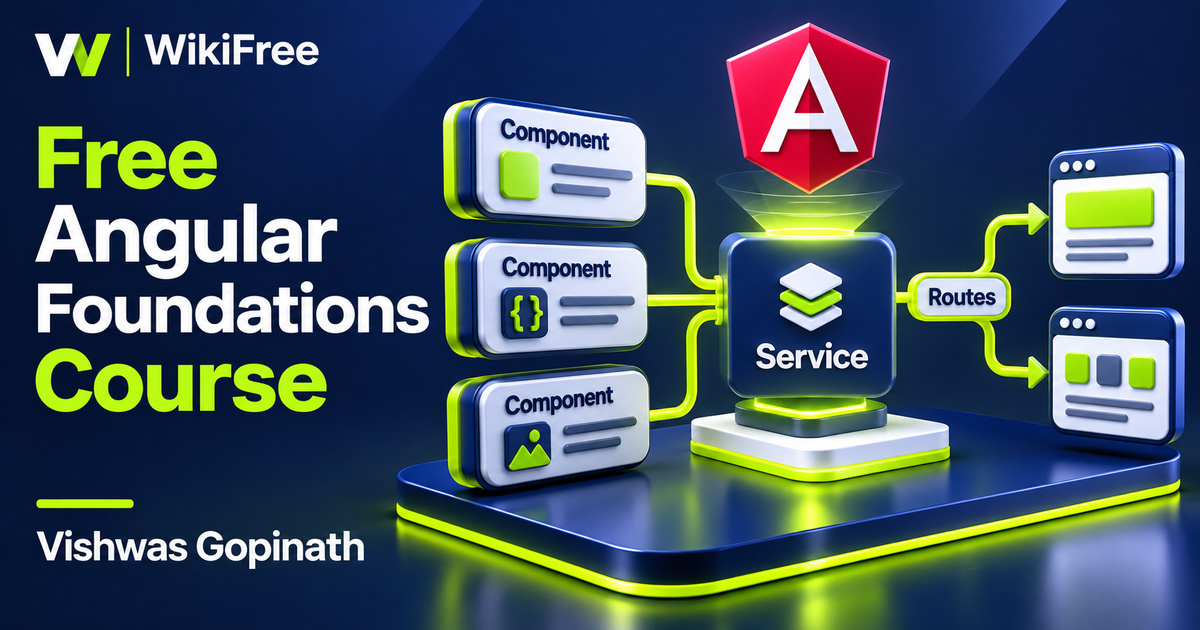
Listed as Free on Udemy when checked on 8 November 2026. No coupon or subscription trial is required for the listed lessons. Enrollment needs a Udemy account; availability can change.
About this course
An Angular application becomes easier to reason about when you can explain how information moves through it. Vishwas Gopinath's free course introduces that journey through templates, component communication, shared services, HTTP requests and navigation. Instead of treating each feature as an isolated command, you can study how a change in data or a user action affects the view.
The course contains thirty-one videos in five sections and was last updated in May 2018. It includes an Angular 6 update section, so it belongs to an earlier generation of the framework. Basic HTML, CSS and JavaScript knowledge, familiarity with a text editor and use of Chrome are expected. It is introductory Angular material for someone who already has those web foundations.
| Official course | Angular – Mastering the Basics |
|---|---|
| Created by | Vishwas Gopinath |
| Platform | Udemy |
| Language | English |
| Level | Beginner |
| Listed duration | 231 minutes; 31 lectures across 5 sections |
| Completion terms | Not included with a new free enrollment |
What you’ll learn
Begin with project setup and component structure, then explore interpolation, property binding, classes, styles, events and template references. The lessons continue through two-way binding, conditional and repeated content, parent-child interaction and pipes. Later sections connect services to dependency injection and HTTP, then introduce route parameters, redirects, relative navigation and child routes.
Skills you’ll gain
- Component structure
- Template data binding
- Parent-child communication
- Service organization
- HTTP response handling
- Route-state reasoning
Give the component and its template clear roles
The early examples distinguish the component's class, its template and the metadata connecting them. That provides a useful study question whenever a value appears on screen: where does the value come from, and which binding makes it visible? Follow the same question when a click calls a method or an input changes a property.
Class and style binding add presentation decisions to that flow, while conditional and repeated content change which elements appear. The course also introduces pipes for formatting values in the view. Keep formatting separate from the underlying meaning of the data. Displaying a number in a particular format does not establish that its source was correct or that it represents a validated business calculation.
Trace communication before adding more features
The component-interaction lesson presents data passed from a parent to a child and events emitted in the opposite direction. Sketching those directions can make a small example much clearer. Decide which component owns a value, which component displays it and which action asks for a change. That is a useful habit even when later framework versions offer additional APIs.
Services then provide a place for shared data or reusable behavior, illustrated through employee information. Dependency injection supplies that service to components instead of requiring each component to construct the same dependency itself. A service is an organizational tool; its existence does not automatically add a database, persistence, authorization or a complete backend to the application.
Read an HTTP result with care
The HTTP sequence moves from hardcoded data toward a request and an observable subscription, followed by a lesson on handling errors in the view. Study the successful and unsuccessful paths together. A useful interface needs a deliberate response when expected information cannot be retrieved, rather than assuming that every request will produce the desired content.
Angular's current HTTP documentation makes an important distinction: the generic type attached to a request is a type assertion, not a runtime check of the server's response. An employee interface helps describe the expected shape, but it does not prove that incoming JSON matches it. Treat validation of outside data as a separate responsibility when adapting a learning example.
Understand what a route represents
The navigation section develops list and detail views, wildcard handling, redirects and parameters. Its paramMap lesson contrasts reading a snapshot with observing changes. Angular's routing documentation confirms that a snapshot represents a fixed point in time and does not reflect future changes automatically. Consider how that matters when moving between items while the same view remains in use.
Relative navigation and child routes provide another way to describe relationships between screens. A detail view may contain an overview or contact subview, but a route is still a navigation mechanism. It does not establish that the visitor is authorized to access private information. The visible curriculum should not be mistaken for authentication or server-security training.
Use the recording as historical foundations
Angular 5 and Angular 6 are outside current support. The final upgrade lesson is a historical transition between those versions, not an instruction to upgrade a new project to Angular 6. Current Angular guidance recommends standalone components for new code and documents template control-flow blocks such as @if and @for. Compare the concepts with the relevant modern documentation before transferring old setup or syntax into new work.
For independent practice, outline a fictional community-library catalogue with a book list and detail view. Identify which data belongs in a service, which route value selects a book and what the screen should say if retrieval fails. This original planning exercise is separate from the instructor's employee and department examples. It is not a tested application, a complete production system or a guarantee of a certificate or employment.
Read Angular HTTP request guidance: Distinguish TypeScript expectations from runtime validation. Read route-state guidance: Compare route snapshots and changing state.
Related courses for your next step
- Review HTML and CSS foundationsFree HTML and CSS Foundations Course
Revisit page structure and layout concepts.
Beginner
- Compare a CSS page projectFree CSS Layout Course
Explore another product-page layout approach.
Beginner
Frequently asked questions
Do I need web-development experience first?
Yes. The stated requirements include basic HTML, CSS and JavaScript knowledge and familiarity with a text editor and Chrome.
Does the Angular 6 section make this current-version training?
No. It covers a historical update. Study the foundational concepts while checking current Angular documentation and supported tooling separately.
Does an HTTP response type validate the returned data?
No. Angular documents the generic response type as an assertion. Runtime validation of incoming data is a separate concern.
Learner reviews
Tell other learners what you actually tried. Reviews are moderated and may come from learners who have started or completed the course.
No published learner reviews yet.
Sign in to write a reviewQuestions still belong in the discussion below. Review and ranking rules.
Questions & discussion
Share a useful question or correction. Comments appear after moderation. Please avoid personal or sensitive information.