Listed as Free on Udemy when checked on 8 November 2026. No coupon or subscription trial is required for the listed lessons. Enrollment needs a Udemy account; availability can change.
About this course
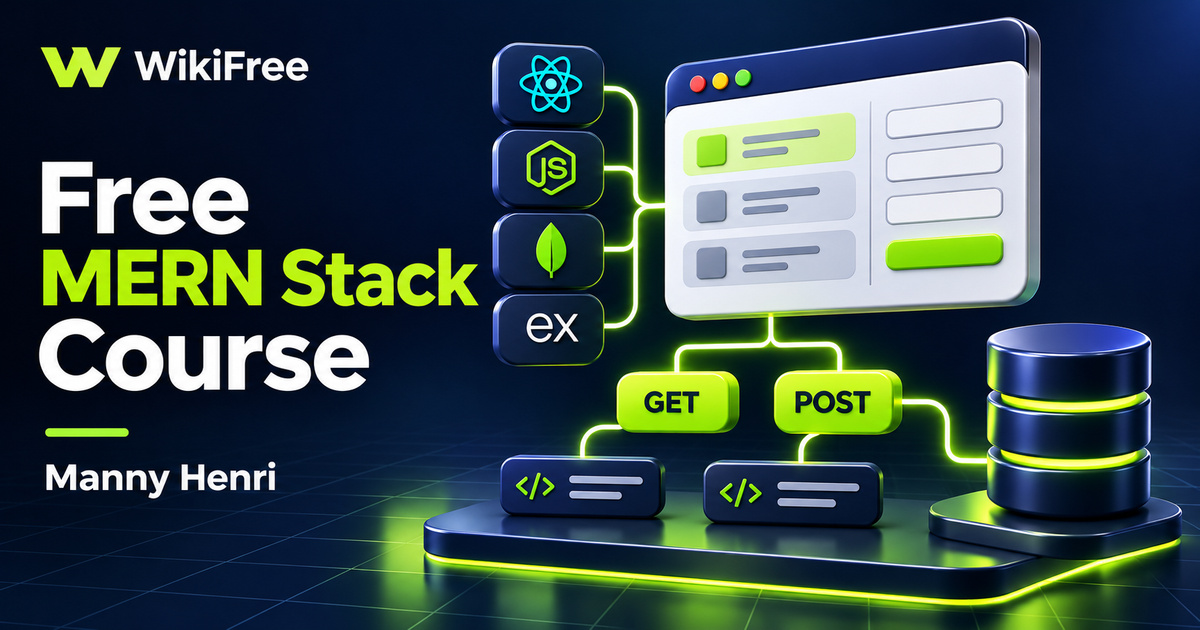
A form becomes more useful when its data can travel beyond the browser. This free MERN stack course by Manny Henri follows that journey through a small full-stack application, connecting a React interface to an Express server and MongoDB storage. It gives JavaScript developers a compact way to see how the pieces communicate instead of studying each technology in isolation.
The course contains 22 video lessons across six sections, with about one hour and forty-one minutes of material. JavaScript experience is the stated prerequisite. The practical emphasis is on database setup, request handling, reusable interface components, and submitting information from a form. Treat it as an introduction to application integration, with additional work needed before using the same ideas for a public service.
| Official course | MERN Fundamentals |
|---|---|
| Created by | Manny Henri |
| Platform | Udemy |
| Language | English |
| Level | Intermediate |
| Listed duration | 101 minutes; 22 lectures across 6 sections |
| Completion terms | Not included with a new free enrollment |
What you’ll learn
Explore the responsibilities of MongoDB, Express, React, and Node.js; organize a server into models, routes, and controllers; define a Mongoose schema; and follow endpoints for creating, listing, retrieving, updating, and deleting records. On the browser side, connect component state and props with Axios requests, present a selected record, and build a form that sends entered data to the server.
Skills you’ll gain
- MERN architecture
- Express routing
- Mongoose schemas
- REST endpoint reading
- React state and props
- Axios form requests
Follow one record through the stack
The opening lessons establish the role of each technology and introduce the development environment. MongoDB holds documents, Express organizes web requests, Node.js runs the server code, and React supplies the interface. Keeping those responsibilities separate helps when a page displays nothing: the missing result could originate in the request, the route, the database connection, or the rendering step.
Two setup sections cover tools, installation, Babel configuration, the server entry point, and folder structure. The project uses a player-oriented example, with model, controller, and route files. These divisions offer a useful reading strategy. Start with the URL a client requests, locate the route that accepts it, and then trace the controller to the model operation rather than searching through every file at once.
Give each endpoint a clear purpose
The routing section moves from connecting the database and defining a schema to individual HTTP operations. It distinguishes fetching a collection from fetching one record by identifier, then adds creation, updating, and deletion. This makes the relationship between an interface action and a server operation easier to follow. A button label alone does not tell you which request it sends or which record it changes.
Schema rules also deserve careful attention. Current Mongoose documentation distinguishes document validation from update validation: update validators require the runValidators option and have limitations, including checking only updated paths. A successful creation request therefore does not establish that every later update is checked in the same way. Use the examples to understand the request flow, then consult the documentation for the actual dependency versions in your own project.
Bring the response into the interface
The front-end section adds a styling library and separates the form, list, and individual-record display into components. State holds application data, while props pass information to the parts that display it. Axios provides the connection to the API. The final lessons develop form inputs and submission, completing the round trip from entered values to a server request.
The public lesson descriptions include class-based React components. React still supports classes, although its documentation recommends function components for new code. The listing’s January 2025 update date does not establish compatibility with every later release. Express also documents breaking changes between versions four and five. Preserve the learning goal while checking package versions and migration guidance instead of assuming that installing the newest dependencies will reproduce the lesson unchanged.
Plan a small variation
For an optional independent exercise, sketch a fictional equipment catalogue with a name, category, and availability field. Write down the request needed to list everything, retrieve one item, add an entry, update it, and remove it. Then trace one form submission through the component, request body, route, controller, model, and returned response. This planning exercise is an editorial suggestion, not an included instructor assignment or a tested application.
Use fictional data while experimenting. A working CRUD demonstration does not establish authentication, permission checks, deployment readiness, or safe handling of personal information. The recorded lessons are offered free, while optional hosted databases, deployment services, or commercial tools may have separate charges and limits. The course is best suited to developers who want a manageable first view of the complete data journey and a clearer basis for further practice.
Review Mongoose validation: Distinguish document and update validation. Review React components: Read class support and function component guidance.
Related courses for your next step
- Explore JavaScript fundamentalsFree JavaScript Scope and Async Course
Build the language knowledge behind event driven interfaces.
Intermediate
- Explore CSS page stylingFree CSS Product Page Layout Course
Practice layout and presentation skills.
Beginner
Frequently asked questions
Do I need JavaScript experience?
Yes. JavaScript experience is the stated prerequisite. Familiarity with components, functions, objects, and asynchronous requests will help you follow the integration work.
Does this course provide a production-ready application?
It demonstrates a compact MERN application. Authentication, authorization, operational testing, and production deployment are not promised outcomes of this introductory course.
Is everything needed for practice free?
The recorded course currently has a free offer. Optional hosting, database plans, and commercial tools have their own terms; no paid service or certificate is included by implication.
Learner reviews
Tell other learners what you actually tried. Reviews are moderated and may come from learners who have started or completed the course.
No published learner reviews yet.
Sign in to write a reviewQuestions still belong in the discussion below. Review and ranking rules.
Questions & discussion
Share a useful question or correction. Comments appear after moderation. Please avoid personal or sensitive information.