Listed as Free on Udemy when checked on 8 November 2026. No coupon or subscription trial is required for the listed lessons. Enrollment needs a Udemy account; availability can change.
About this course
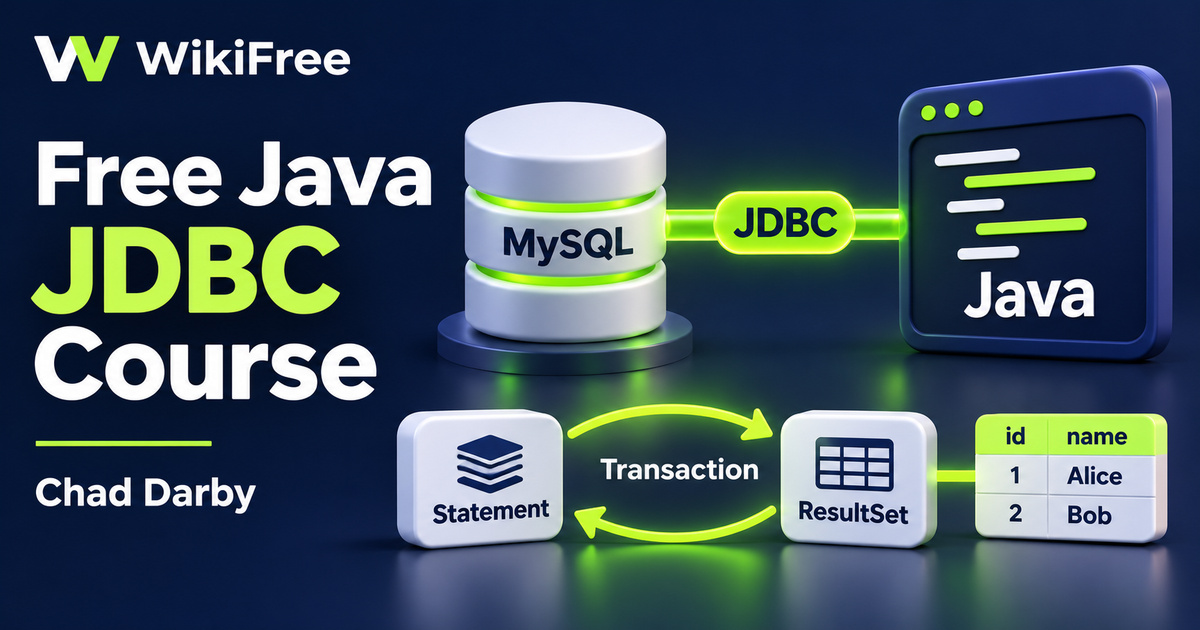
Writing a query in a database tool is one skill; making a Java application send that query and interpret the response is another. This free JDBC course concentrates on that connection. It follows the path from a configured database driver to returned rows, then extends the same workflow to changes, procedure calls, transactions, and larger data values.
Chad Darby’s Java Database Connection: JDBC and MySQL is taught in English and assumes basic Java programming and some MySQL experience. The public outline lists nine sections and 25 learning items, totalling approximately 89 minutes. It suits learners who can already read simple Java code and want a compact introduction to direct database access before tackling a larger application framework.
| Official course | Java Database Connection: JDBC and MySQL |
|---|---|
| Created by | Chad Darby |
| Platform | Udemy |
| Language | English |
| Level | Intermediate |
| Listed duration | 88 minutes; 25 lectures across 9 sections |
| Completion terms | Not included with a new free enrollment |
What you’ll learn
You will explore the JDBC API, prepare a development environment, submit SQL, and process a result set. The sequence then introduces inserts, updates, deletes, and prepared statements for parameterised operations. Separate sections cover stored procedures with different parameter directions, transaction control, database and result-set metadata, binary and character data, and connection settings in a properties file. The value lies in seeing how these distinct responsibilities fit into a database-backed Java programme.
Skills you’ll gain
- JDBC connection setup
- ResultSet processing
- Prepared statement parameters
- Stored procedure calls
- Transaction boundaries
- Database metadata inspection
Separate the driver, database, and programme
The setup material starts with a JDBC overview and introduces the MySQL environment before configuring the driver in Eclipse. The source-code description explains that individual lecture projects have corresponding database setup scripts and connection settings. That gives the course a useful organisational pattern: match the Java example to the database structure it expects, rather than assuming every demonstration shares an unchanged database.
The linked code archive and its scripts have not been inspected here, so this article does not promise that a download runs unchanged on your machine. Although the course page reports a July 2026 update, that date alone does not establish compatibility for every recorded screen, JDK, driver, or MySQL release. Use current official downloads and a separate local practice database, with an account limited to the access the exercise needs.
Move from returned rows to controlled changes
The basic operations section separates reading results from inserting, updating, and deleting records. Prepared statements then introduce parameters as part of the query workflow. Binding a value keeps that value separate from SQL syntax; it is preferable to assembling a query by concatenating untrusted input. This distinction is more useful than treating prepared statements as a blanket promise that an entire application is secure.
Stored procedures get four focused lessons: IN, INOUT, OUT, and returned result sets. Follow the direction of information in each example. Some values enter the procedure, some are returned through parameters, and others arrive as rows to process. Keeping these channels distinct makes it easier to understand what the Java caller should send, register, or read without confusing a procedure call with an ordinary selection query.
Decide where a transaction ends
The transaction lesson explicitly covers disabling auto-commit and calling commit or rollback. These are decisions about a unit of work, not simply extra method names to memorise. In a transaction-capable setup, related changes can be grouped before committing; error handling must also consider what needs to be rolled back. Rollback is not a way to undo any operation after it has already been committed.
For a separate editorial exercise, sketch a fictional equipment checkout involving two related records. Mark the point where both changes should become final, then describe what should happen if the second change fails. You can reason about that boundary on paper before writing code. This is an independent practice suggestion, not a description of a supplied course assignment or a claim that the examples were executed during this review.
Keep configuration and security distinct
Later lessons examine database metadata, result-set metadata, BLOBs, CLOBs, and a properties-based connection configuration. Moving settings out of source code can improve organisation, but a properties file does not automatically encrypt a password or protect it from being committed to a repository. Keep real credentials out of shared examples.
The outline also lists a short SSL-warning item whose body is not described here. Removing a warning is not proof of a secure connection: current Connector/J distinguishes encryption from certificate and hostname verification. Consult its security guidance for the actual connection you use. Treat this course as focused JDBC practice, with production deployment, secret management, and broader application security requiring further work.
Check connection security settings: Distinguish encryption from server identity verification. Review prepared statement parameters: Bind input values separately from SQL syntax.
Related courses for your next step
- Explore a different database environmentFree SQLite Fundamentals Course
Compare introductory SQL work in a separate database system.
Beginner
Frequently asked questions
Do I need to know Java before starting?
Yes. Basic Java programming and MySQL experience are stated prerequisites. This course introduces database access rather than teaching the Java language from the beginning.
Does free enrolment include every other course by the instructor?
No. The free offer applies to this JDBC and MySQL course. Other programmes are separate, and no professional certification or job outcome is guaranteed.
Are the downloadable code and article contents verified here?
No. The public source-code instructions were read, but the linked archive, setup scripts, and three advertised article bodies were not inspected or executed.
Learner reviews
Tell other learners what you actually tried. Reviews are moderated and may come from learners who have started or completed the course.
No published learner reviews yet.
Sign in to write a reviewQuestions still belong in the discussion below. Review and ranking rules.
Questions & discussion
Share a useful question or correction. Comments appear after moderation. Please avoid personal or sensitive information.