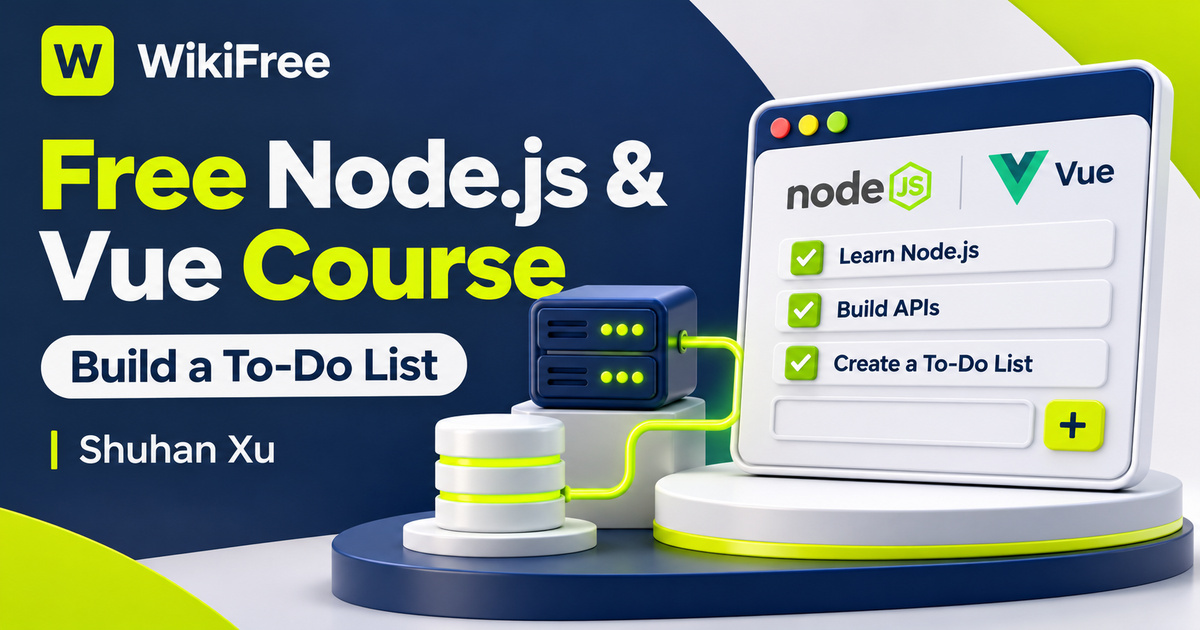
Listed as Free on Udemy when checked on 7 November 2026. No coupon or subscription trial is required for the listed lessons. Enrollment needs a Udemy account; availability can change.
About this course
A task appearing in a browser is only part of a working to-do application. The server must understand the request, the database must preserve the record, and the interface must reflect what actually happened. In this free Node.js and Vue 3 course, Shuhan Xu uses a deliberately simple task list to connect those parts of a small full-stack application.
The English-language course has five videos across three sections, totaling thirty-four minutes and five seconds. It begins with a demonstration, builds the backend, introduces Vue, connects the interface to the server and finishes the add-and-delete interactions. The course description outlines four stages, while the actual lecture list separates the frontend work into three videos. The five-lecture curriculum is the useful guide to its scope.
Basic coding skills are required. The source level is Beginner, but the author also addresses developers who have not previously tried Node.js or Vue 3. Familiarity with JavaScript, functions and simple HTML will make the compressed demonstrations easier to follow. The listing shows a July 2023 update, so compare package installation and tooling with the current documentation when recreating the example.
| Official course | Create a TODO List using nodejs and vue3 |
|---|---|
| Created by | Shuhan Xu |
| Platform | Udemy |
| Language | English |
| Level | Beginner |
| Listed duration | 34 minutes; 5 lectures across 3 sections |
| Completion terms | Not included with a new free enrollment |
What you’ll learn
Trace a task from a Vue interface through an HTTP request to a Node.js backend and database. Understand the roles of a database schema, an ORM, REST-style routes, frontend data binding and the requests used to list, create and remove tasks.
Skills you’ll gain
- Full-stack request tracing
- Database schema basics
- ORM and route separation
- Vue data binding
- Task creation and deletion
- HTTP response checking
Keep the first application small
The introduction establishes a narrow target: a simplified list with a working frontend and backend. That limited feature set is useful because it keeps the relationship between the layers visible. This is not an extensive project-management product. Team accounts, permission rules, reminders, synchronization conflicts and production operations are not established by the short lesson sequence.
Give the backend a clear responsibility
The backend section describes database-schema design, Sequelize as the ORM and an Express server that handles HTTP requests. SQLite is part of the listed project context. Together, these pieces illustrate different responsibilities: the schema describes stored records, the ORM provides an application-facing way to work with them, and the server exposes operations to the client. Understanding the boundaries is more reusable than memorizing a particular folder arrangement.
The author also describes testing the backend before moving to the frontend. This gives the project a helpful order of investigation. If a route does not return the expected data independently, changing a Vue component is unlikely to repair the database operation. The course does not establish a comprehensive automated testing suite, so treat this as an introduction to checking the server’s behavior rather than a complete testing methodology.
Move from a playground to connected data
The first frontend lesson introduces Vue syntax, data binding and the Vue playground. A playground is a useful place to explore how a displayed value responds to a change in application data. The following lesson moves from that isolated example into a repository-based application and starts fetching data from the backend. That transition is where a visual experiment becomes part of a larger request-and-response flow.
The frontend section explicitly uses HTTP GET, POST and DELETE. In the task-list example, those operations correspond to retrieving the list, creating a task and removing one. They should not be confused with changing a local JavaScript array alone. A successful screen update does not by itself prove that the database changed, and a successful database write still needs an appropriate response for the interface to interpret.
The final lesson completes the POST and DELETE interactions. The author says a GitHub repository link is included, but access to that repository and the suitability of its dependencies are separate matters from the public lesson descriptions. The course can introduce the flow without promising that an old checkout will run unchanged with every current package version.
Handle the response before changing the screen
When extending the example, handle unsuccessful responses explicitly. Browser fetch does not reject its promise merely because the server returns an HTTP error such as 404. Check the response status or ok flag before treating a request as successful. Decide what the user should see if a task cannot be saved or removed; silently changing the visible list can hide a failed operation.
List identity is another useful follow-up. Vue recommends a unique key for each rendered list item when tracking and reordering stateful content. A stable task identifier is more informative than assuming a row’s current position is its identity. This becomes easier to appreciate when deleting an item from the middle of a list or when a row contains an input with temporary state.
Trace a task through all three layers
For independent practice, draw three columns labeled interface, server and database. Walk a fictional task through creation, a page refresh and deletion, writing what should exist in each column after each successful step. Then add a failed-delete case and decide which visible state should remain. This is an editorial reasoning exercise you can use alongside your own implementation, rather than an additional supplied lesson.
Use the compact project to learn how the layers cooperate before adding features. Validate incoming data and examine authentication, authorization and deployment requirements before exposing a task service publicly; the course is not a security or production-readiness guarantee. The listed videos are free, while optional hosting and other external services can have separate costs. Do not assume course access includes a professional credential or individual instructor support.
Related courses for your next step
- Strengthen backend fundamentalsFree Node API Course
Explore request handling and CRUD concepts alongside this smaller task-list project.
Beginner
Frequently asked questions
Do I need programming experience?
Yes. The author requires basic coding skills. The project introduces Node.js and Vue 3 integration rather than teaching programming from scratch.
Does the project include a complete task-management platform?
No. The stated scope is a simplified list with add, display and delete operations backed by a database. Advanced collaboration and production features are not established.
Is every external service free with the course?
The listed lessons are free. Optional hosting, services and other tools have their own current terms, and course access does not promise a credential or individual support.
Questions & discussion
Share a useful question or correction. Comments appear after moderation. Please avoid personal or sensitive information.