Listed as Free on Udemy when checked on 7 November 2026. No coupon or subscription trial is required for the listed lessons. Enrollment needs a Udemy account; availability can change.
About this course
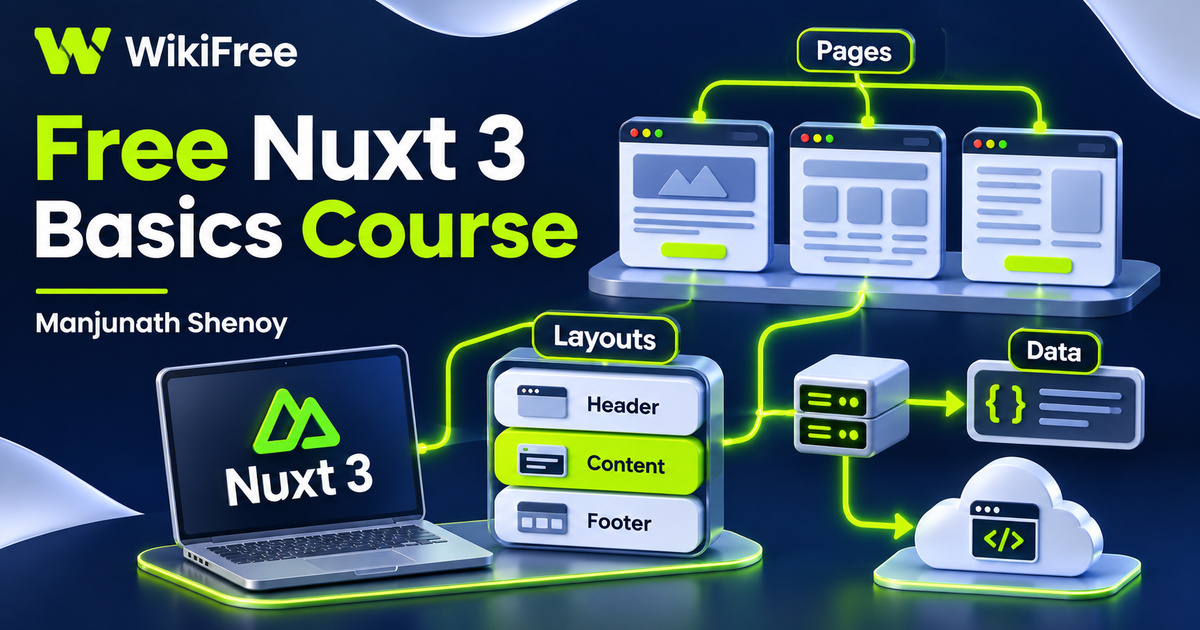
A small web application becomes easier to understand when you can follow the connections between its pages, shared interface and data. This free Nuxt 3 basics course by Manjunath Shenoy introduces those connections through a compact sequence of setup, navigation, routing, layouts, data fetching and deployment lessons. It offers a starting point for exploring how a Vue-based application is organized.
The English-language course contains eight videos across six sections, totaling thirty-eight minutes and five seconds. It starts with installation and a first page, then progresses toward a website deployment example. The stated prerequisite is basic web development knowledge. Prior Nuxt or Vue experience is not required, although familiarity with HTML, JavaScript and the idea of a component will make the demonstrations easier to follow.
The material was last updated in February 2024. Use its Nuxt 3 examples as a guided introduction, with documentation for the version you install alongside the recording. Nuxt 3 reached end of life on 31 July 2026 and no longer receives standard bug or security fixes. For new deployments, use a supported version and check its migration guidance. This short course introduces a workflow; it does not establish production readiness, a complete application architecture or a guaranteed improvement in search rankings.
| Official course | Nuxt 3 Basics for Beginners |
|---|---|
| Created by | Manjunath Shenoy |
| Platform | Udemy |
| Language | English |
| Level | Beginner |
| Listed duration | 38 minutes; 8 lectures across 6 sections |
| Completion terms | Not included with a new free enrollment |
What you’ll learn
Recognize how pages become navigable routes, distinguish route parameters from query information, reuse components and layouts, and connect a page to fetched data. Continue into page metadata, a simple server route and a Netlify deployment example to see how the separate pieces fit into a small Nuxt project.
Skills you’ll gain
- Nuxt project orientation
- Page navigation
- Route parameter concepts
- Reusable layouts
- Data-fetching fundamentals
- Deployment workflow awareness
Follow a page through the project
The opening lessons pair installation and a first working page with page creation and navigation. That order gives you a concrete way to inspect the project: identify the files that describe a page, follow a link and observe which part of the interface changes. The useful skill is understanding that relationship, rather than memorizing an installation command that may later change.
The routing section then introduces parameters and query information. A route parameter can identify a particular item, while a query can represent an optional selection such as a search or filter. For example, a catalogue might use an item identifier in its path and a sort choice in its query. These are different pieces of URL information, and they should not be treated as interchangeable application state.
Give pages a shared structure
Components and layouts provide the next organizing layer. A reusable component can represent a small interface element, while a layout can provide a shared frame around several pages. The lesson summary describes shared headers and footers, an alternative layout and page content placed within that frame. A layout named for an administration area is still a presentation choice; its name does not create authentication or access control.
Connect data with the interface
The data-fetching lesson introduces useFetch. Its value in this sequence is showing how information from a request becomes something a page can display. Nuxt provides this composable to work with its rendering and data lifecycle. As you explore it, distinguish the returned data from request progress and error information, rather than assuming that every response arrives immediately or succeeds.
The course then turns to useHead for dynamic page information and a script tag. This connects page content with information placed in the document head. A relevant title can help describe a page, but metadata alone does not guarantee search visibility or ranking. Adding a script also requires understanding its source and purpose; this introductory lesson is not a full review of third-party scripts or site security.
Recognize the server boundary
The server-side lesson introduces server routes and their use within the application. This is a useful boundary to notice: a page shown in the browser and a server endpoint are different parts of the system, even when they live in the same project. The course provides an initial connection between them. It does not promise a complete database layer, authorization model, validation strategy or production API.
The closing deployment lesson moves the example through Git and GitHub toward Netlify. It gives the earlier local work a publishing context, but deployment remains dependent on the project configuration and the hosting service you use. Check current build requirements and account terms before following a historical screen. A successful demonstration is not a guarantee that a different project will deploy unchanged.
Practice with a small catalogue
For independent practice, sketch a tiny catalogue of three desk accessories. Plan one listing page, one detail route and one shared layout. Decide which value belongs in a route parameter and which optional choice belongs in a query. Then identify where a fetched response, a loading message and an error message would appear. This is an editorial exercise to help you connect the lessons, not a supplied project or a claim that you have run the application.
The broader course description mentions state-management tools, but the visible lesson sequence does not provide dedicated Vuex or Pinia training.
Keep access and hosting separate
Free access applies to the lessons under the current offer. External hosting, accounts and optional services have their own terms and possible costs. No hosting allowance, certificate, professional qualification or employment outcome is promised here. The practical outcome to aim for is a clearer map of a basic Nuxt application and a set of focused questions for your next project.
Related courses for your next step
- Strengthen the JavaScript behind your pagesFree JavaScript Scope and Async Course
Review scope, function behavior and asynchronous concepts before extending a Nuxt application.
Intermediate
Frequently asked questions
Do I need prior Nuxt or Vue experience?
The course does not require it, but basic web development knowledge is listed as a prerequisite. Familiarity with HTML and JavaScript will help.
Does this course teach a complete production application?
No. The eight videos introduce pages, routing, layouts, data fetching, metadata, a server route and a deployment example. Production architecture and security require further work.
Are hosting and certificates included with free access?
No hosting allowance or certificate is promised. Free lesson access is separate from external service terms and possible costs.
Questions & discussion
Share a useful question or correction. Comments appear after moderation. Please avoid personal or sensitive information.