Path 92 · The form clinic · Beginner
Help people finish without guessing.
A guided, practical route through html form usability.
What you will be able to do
Build and review a small semantic HTML form with labels, useful validation and a clear local-only submission state.
Plan about 9h 50m in total. Reading and practice are editorial estimates; video runtimes come from public provider metadata. Your pace will vary.
Table of Contents
Before you begin
Check your starting point
What you need
Basic HTML and CSS. A browser and text editor are sufficient; no backend is required.
The selected public provider lessons are free to view. The original case can be completed with paper, a text editor or freely available local tools. Paid exams, certificates, subscriptions and optional provider software are not required for this project.
Completing this Coursya path does not award a provider certificate. Any provider assessment, account requirement or credential must be checked separately on its official page.
Three readiness questions
Is placeholder text a substitute for a label?
No.
Should an optional field be marked required?
No.
Does browser validation replace server validation?
No, if a real backend is later added.
Use a workable pace
At 5 hours per week, allow about 2 weeks. Start with Stage 1, continue in order and reserve 2h for the capstone. If a gate fails, use its repair step before advancing. At another weekly budget, divide 590 estimated minutes by your available weekly minutes and round up.
Keep a small evidence folder. A checked box means you reviewed your output; it is not a certificate or proof that a provider lesson was watched.
The working case
A clear route through the form
A fictional workshop interest form asks for a name, an optional email and a preferred session. Email is optional because the practice does not send confirmations. The local demonstration must explain that no data is transmitted or stored.
| Field | Required | Rule |
|---|---|---|
| Name | yes | nonblank |
| no | email format if supplied | |
| Session | yes | choose morning or afternoon |
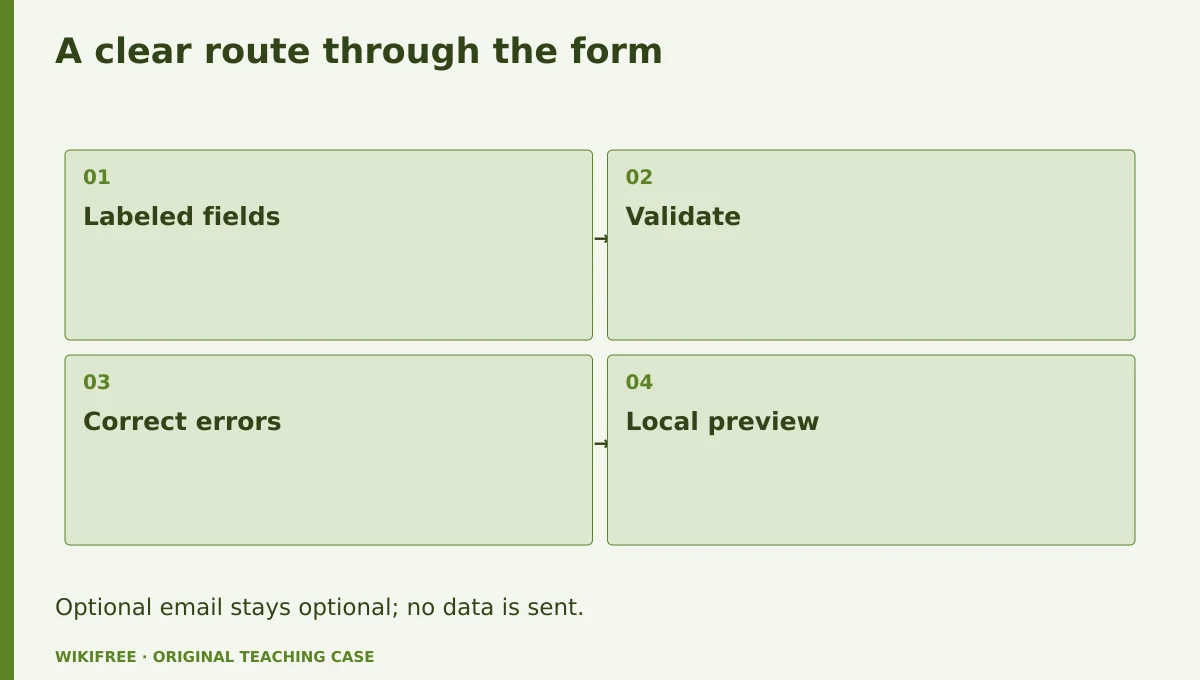
The table and explanations preserve the essential case information when the diagram is unavailable.
Your route
Five outputs, then a final handoff
- 01Choose fields that serve the taskForm structure
About 1h 30m including assigned learning and practice. - 02Make validation usefulValidation behavior
About 1h 50m including assigned learning and practice. - 03Support keyboard and assistive useAccessibility review
About 1h 50m including assigned learning and practice. - 04Handle local submission honestlyLocal-only interaction
About 1h 5m including assigned learning and practice. - 05Test realistic mistakesUsability evidence
About 1h 35m including assigned learning and practice. - FINALCapstone reviewCombine the evidence into one inspectable handoff.
About 2h .
0 of 6 outputs checked. JavaScript adds browser-only progress saving.
The complete lesson and all downloads remain available. Use the printable project workbook to track your progress.
Use the minimum useful source material
The courses behind this route
Google Learn Forms: Free HTML Forms Course
The existing web.dev forms course directly covers form semantics, validation, accessibility and testing.
Selected material only; this path does not claim completion of the entire provider course.
Course publication and selected public lesson metadata were checked on 13 October 2026. This is not a claim of full video playback, provider-course completion or permanent availability. Recheck the linked source if a lesson changes.
Learn, make, inspect
The five-stage workshop
Choose fields that serve the task
Video 0m · reading budget 35m · original practice about 55m.
Ask only for information needed for the stated task. Use appropriate native controls and associate labels explicitly. A placeholder can illustrate format but disappears during entry, so it cannot carry the only instruction. This local example avoids collecting real personal information.
Assigned reading
Google Learn Forms: Free HTML Forms Course: Use forms to get data from users and help users enter data.
Use the named provider navigation sections. Editorial reading budget for the named public material; not a verified completion duration
Do the work
Create the three-field semantic form.
Save this output
Form structure
Pass the review gate
Every control has a programmatic label and the optional field is identified.
If you need another attempt
Use label and id associations rather than nearby text alone.
Make validation useful
Video 0m · reading budget 35m · original practice about 1h 15m.
Native constraints can catch missing required values and email format, but custom rules may still be needed for whitespace-only names. Explain the error near the relevant field and preserve input. A user should know both what failed and how to fix it without interpreting an error code.
Assigned reading
Google Learn Forms: Free HTML Forms Course: Help users enter the right data in forms.
Use the named provider navigation sections. Editorial reading budget for the named public material; not a verified completion duration
Do the work
Add whitespace-name validation and visible correction guidance.
Save this output
Validation behavior
Pass the review gate
A blank or whitespace-only name is refused; omitted email is allowed.
If you need another attempt
Align validation with the written required/optional policy.
Support keyboard and assistive use
Video 0m · reading budget 40m · original practice about 1h 10m.
Use a logical DOM order, visible focus and native buttons. Group related choices with appropriate semantics. Error feedback should be discoverable without color alone. Automated inspection can catch missing attributes, but a keyboard walk-through is still needed to understand the interaction.
Assigned reading
Google Learn Forms: Free HTML Forms Course: Accessibility and design basics.
Use the named provider navigation sections. Editorial reading budget for the named public material; not a verified completion duration
Do the work
Complete the form using only the keyboard and record the focus order.
Save this output
Accessibility review
Pass the review gate
All controls and the submit action are reachable with visible focus.
If you need another attempt
Remove custom interactions that duplicate a reliable native control without benefit.
Handle local submission honestly
Video 0m · reading budget 0m · original practice about 1h 5m.
A local demonstration can validate and show a summary without sending data. Label that state clearly and avoid success wording that implies a real booking. Do not put form values in a URL or local storage unnecessarily. A real service would need server-side validation and a privacy-aware data flow.
Original application stage. Use your preceding outputs and the supplied case; there is no additional required provider lesson.
Do the work
Implement a local preview summary and a reset button.
Save this output
Local-only interaction
Pass the review gate
No network request is made and reset clears the summary.
If you need another attempt
Inspect the submit handler and browser network log.
Test realistic mistakes
Video 0m · reading budget 35m · original practice about 1h .
Test empty submission, an invalid optional email, correction after error and a small viewport. Record observations rather than assuming that a clean screenshot means the form works. The learner’s test log should distinguish a self-review from sessions with actual participants.
Assigned reading
Google Learn Forms: Free HTML Forms Course: Test your forms and how to test forms for usability.
Use the named provider navigation sections. Editorial reading budget for the named public material; not a verified completion duration
Do the work
Run the five-case checklist and revise one confusing instruction.
Save this output
Usability evidence
Pass the review gate
The log contains actual observations and no invented participant feedback.
If you need another attempt
Mark planned tests as planned until performed.
Make the result inspectable
Your final project
Deliver the HTML form, validation logic, local-only summary and keyboard/mobile test log. Explain the extra work required before connecting a real submission endpoint.
The ZIP includes synthetic input data, a project workbook, worked reference, evidence log, scoring rubric and case-specific materials. Code projects include source and clearly stated local execution requirements.
Use one consistent rubric
| Criterion | Maximum | Evidence |
|---|---|---|
| Evidence and correctness | 30 | Calculations, source use and results match the supplied case; limitations are honest. |
| Required artifacts | 30 | All five stage outputs and the capstone handoff are present and inspectable. |
| Reasoning and decisions | 20 | Choices, assumptions, alternatives and the case-specific critical condition are explained. |
| Reproducibility | 10 | A reviewer can follow the stated steps and distinguish expected from observed results. |
| Clear communication | 10 | Labels, units, structure and evidence references make the work easy to review. |
Score at least 80/100, supply every required artifact, and satisfy the path-specific critical condition. Rework missing evidence before marking complete.
The critical condition
Required rules match the labels and local preview is never represented as transmitted or booked data.
Compare with a worked reference
The accepted local example is name Ada, no email and session morning. A whitespace-only name fails; an empty email passes because it is optional. The resulting summary says local preview and does not claim a reservation.
Know the boundary
This is a local usability prototype, not a data-collection service or a complete accessibility certification.
Questions before you finish
Do I need to finish every source course?
No. This path names selected lessons or reading sections. Complete the full provider course only if it supports your wider goal. The path does not claim equivalence to that course.
How do I know when to advance?
Use the output and review gate in each stage. If evidence is missing or a result conflicts with the case, follow the repair step and retry before advancing.
Can I do the project without paid software?
The selected public provider lessons are free to view. The original case can be completed with paper, a text editor or freely available local tools. Paid exams, certificates, subscriptions and optional provider software are not required for this project.
What does my checklist prove?
It records your own review in this browser only. It does not verify viewing, skill, a provider credential or a real-world deployment.
What if a lesson or tool changes?
Use the linked course and provider page to inspect current availability. Record the change and revisit the relevant assignment; do not invent a replacement lesson or claim an unavailable activity was completed.
Questions & discussion
Share a useful question or correction. Comments appear after moderation. Please avoid personal or sensitive information.