Career studio / Web Development
Build evidence for the Front-End Developer role
A community learning center needs a responsive course listing and application form. Build a readable, keyboard-usable page before adding interactive enhancements.
Your outcome: Responsive learning-center website with accessible form and test notes.
Table of Contents
Start with the right expectations
Who this is for
Basic computer use; a local editor and modern browser are sufficient.
This path develops a demonstrable work sample for the named role. It does not replace employer-specific experience, professional qualifications or supervised practice.
Plan your study time
Use a flexible six-week project schedule: one week for each of the first four stages and two weeks for the portfolio and review. Allow roughly 3–5 hours per week for the case work, in addition to course study. This is a planning suggestion, not a measured course duration or a promise of job readiness.
Read the course access notes before starting. Free viewing or reading does not automatically include certificates, graded assessments, software licences or paid cloud resources. Core case work can be documented with a free editor and spreadsheet; optional implementation tools may have additional requirements.
Your course sequence
Start in the order below. Use the course outline to select the sections relevant to the stage tasks, and complete foundation exercises before moving on. Full provider courses can be substantially longer than this project schedule. These are course resources, not a claimed count of individual lessons.
Resource 01 / Google
Google Learn HTML: Free Web Development Course
Purpose: Build the foundations. Connect your notes to the case tasks below rather than only collecting completion marks.
- Create a reliable document foundation: understand the document type, language, head, body and essential metadata.
- Choose meaningful elements: connect headings, sections, navigation and text markup to the purpose of the content.
- Build common page content: work with links, lists, tables, images, audio and video.
Access: Free public lessons, knowledge checks and independent local browser/text-editor practice. No paid hosting or software required. No account needed to read; optional standard Google developer profile for badge collection is free.
Certificate: Learn HTML developer-profile badge offered through completion confirmation. No formal certificate, credit or accreditation promised.
Resource 02 / Google
Google Learn CSS: Free Web Styling Course
Purpose: Develop the role-specific method. Connect your notes to the case tasks below rather than only collecting completion marks.
- Understand element sizing: use the box model, spacing and sizing units to reason about how content fits on a page.
- Make style rules predictable: work with selectors, the cascade, specificity and inheritance when several rules affect an element.
- Choose a layout method: explore Flexbox for one-dimensional arrangements and Grid for layouts with rows and columns.
Access: Free public lessons, demonstrations and independent local HTML/CSS practice with browser/text editor. No paid hosting or software required. No account needed to read; optional standard Google developer profile for badge collection is free.
Certificate: Learn CSS developer-profile badge offered for correct CSS quiz answers; no formal certificate, academic credit or professional accreditation promised.
Resource 03 / Google
Google Learn JavaScript: Free JavaScript Fundamentals Course
Purpose: Strengthen practical application. Connect your notes to the case tasks below rather than only collecting completion marks.
- Recognise different kinds of values: work through numbers, text, Boolean values and the other primitive data types.
- Store and compare information: understand variables, comparison operators and the decisions made by control flow.
- Organise repeatable behaviour: learn how functions receive information, return results and work within an execution context.
Access: Free public written lessons and independent local browser/text-editor practice; no fee, card, trial, subscription, paid hosting or software required. No account needed to read; optional Standard Google developer profile is free for the offered badge.
Certificate: Learn JavaScript developer-profile badge offered after course completion confirmation. No formal certificate, academic credit or professional accreditation promised.
Resource 04 / Google
Google Learn Accessibility: Free Web Accessibility Course
Purpose: Add an essential quality lens. Connect your notes to the case tasks below rather than only collecting completion marks.
- Understand digital accessibility: consider how disability and different interaction needs affect the use of a website.
- Create meaningful structure: explore content organisation, semantic HTML and appropriate use of ARIA.
- Improve interface details: examine keyboard focus, images, colour contrast, motion and typography.
Access: Free public lessons and practice using browser/local code, Chrome DevTools Lighthouse and a free compatible screen reader such as NVDA; no paid toolkit required. No account needed to read; optional standard Google developer profile for badge collection is free.
Certificate: Accessibility developer-profile badge offered through the course quiz. No formal certificate, credit, accreditation or website-compliance certification promised.
Learn, make, check
Keep a decision log as you work. For each stage, capture the assumption, your work product, a check and the change you made after that check. The acceptance criterion is the stopping condition for the stage.
Stage 1 / suggested project week 1
Structure the content
Understand: Semantic HTML expresses meaning and supports navigation.
Make: Create headings, navigation, course cards and a labeled application form.
Check before moving on: Use one page-level H 1 and labels connected to controls.
Study companion: Google Learn HTML: Free Web Development Course. Use its relevant lessons and examples; the independent Coursya task is not a provider assessment.
Save as evidence: a dated work product and a short note explaining one choice, one alternative and one remaining uncertainty.
Stage 2 / suggested project week 2
Build responsive layout
Understand: Flexible layout should adapt to content, not one device width.
Make: Use CSS Grid or Flexbox with readable type and bounded image widths.
Check before moving on: Check narrow and wide widths without horizontal page scrolling.
Study companion: Google Learn CSS: Free Web Styling Course. Use its relevant lessons and examples; the independent Coursya task is not a provider assessment.
Save as evidence: a dated work product and a short note explaining one choice, one alternative and one remaining uncertainty.
Stage 3 / suggested project week 3
Enhance behavior
Understand: JavaScript should improve the baseline rather than hide essential content.
Make: Add course filtering and form feedback with visible state changes.
Check before moving on: The course information remains readable without JavaScript.
Study companion: Google Learn JavaScript: Free JavaScript Fundamentals Course. Use its relevant lessons and examples; the independent Coursya task is not a provider assessment.
Save as evidence: a dated work product and a short note explaining one choice, one alternative and one remaining uncertainty.
Stage 4 / suggested project week 4
Test the interaction
Understand: A mouse-only demonstration is incomplete.
Make: Test keyboard order, focus visibility, invalid input and a long course title.
Check before moving on: Record actual browsers and widths tested; do not claim all devices.
Study companion: Google Learn Accessibility: Free Web Accessibility Course. Use its relevant lessons and examples; the independent Coursya task is not a provider assessment.
Save as evidence: a dated work product and a short note explaining one choice, one alternative and one remaining uncertainty.
Stage 5 / suggested project weeks 5–6
Present your portfolio
Assemble the four work products into Responsive learning-center website with accessible form and test notes. Write a README explaining the problem, your assumptions, the decisions you made, tests actually performed and what remains incomplete.
Give a five-minute walkthrough: one minute for the problem, two for the work and evidence, one for trade-offs and one for the next improvement. If you have not implemented a proposed system, label it a design or prototype rather than a deployed solution.
Acceptance: a reviewer can locate each work product, reproduce the key reasoning and identify the limits without a private explanation from you.
The portfolio brief
A community learning center needs a responsive course listing and application form. Build a readable, keyboard-usable page before adding interactive enhancements.
Deliver: Responsive learning-center website with accessible form and test notes.
| course id | title | category | seats |
|---|---|---|---|
| C 1 | Introduction to SQL | Data | 12 |
| C 2 | Project Coordination | Business | 8 |
| C 3 | Web Accessibility | Software | 0 |
Use these small inputs to make the reasoning visible. They are not a representative dataset, a real client engagement or evidence of production performance. Where the brief requires additional sample records, create them yourself, label them synthetic and explain why you added them.
The ZIP includes the case CSV, four stage worksheets, course sequence, decision log, test log, portfolio README template, review rubric and reference reasoning. It is a starter kit for your work, not a completed application, professional report or proprietary project file.
Check your reasoning
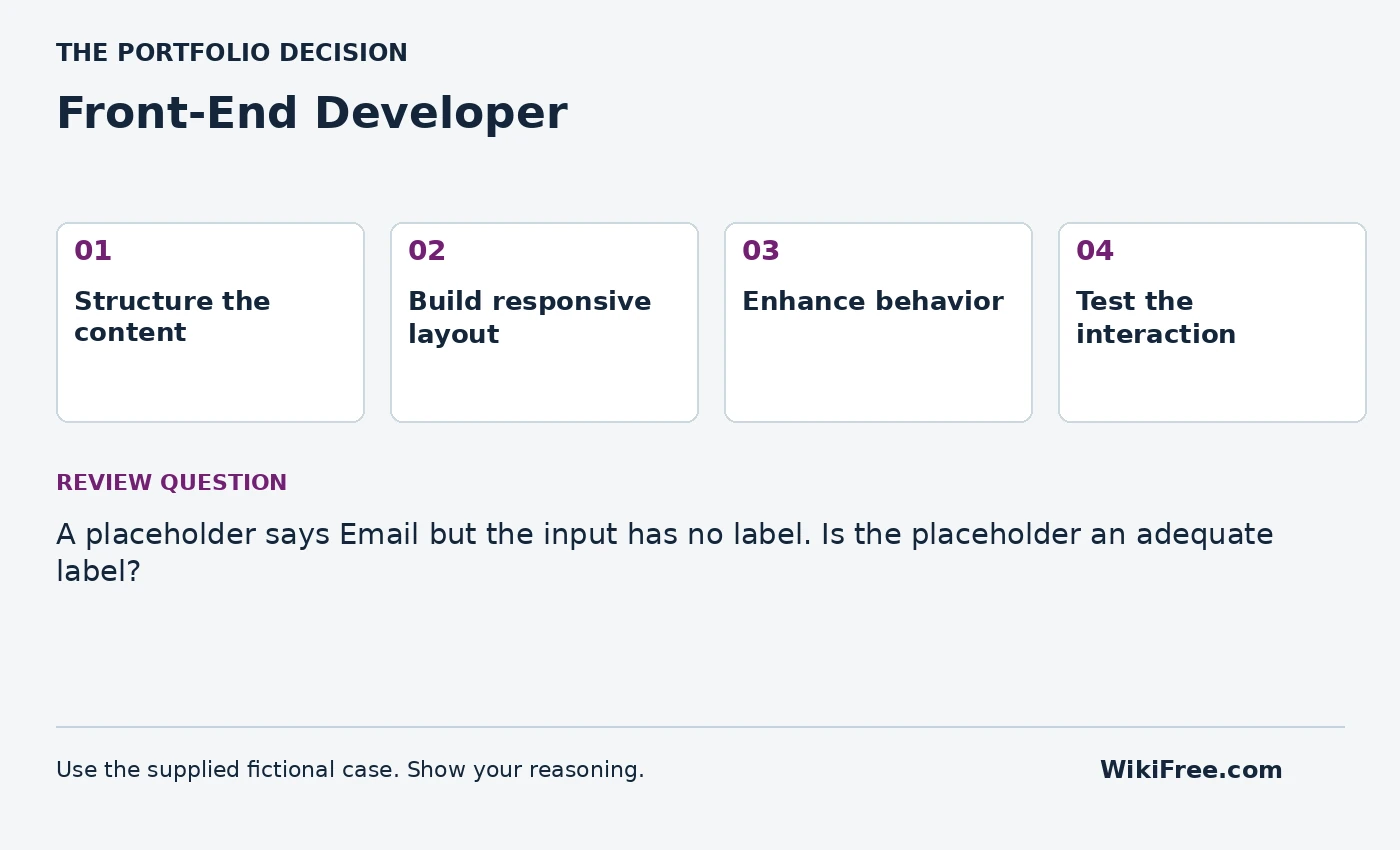
A placeholder says Email but the input has no label. Is the placeholder an adequate label?
Write your answer and assumptions before opening the reference.
Read the reference reasoning
No. Add a persistent associated label; the placeholder may provide an example but should not carry the field name alone.
Portfolio review rubric
| Criterion | Points | Evidence required |
|---|---|---|
| Problem and scope | 4 | A clear user, need, boundary and assumptions |
| Role-specific work | 8 | 2 points for each of the four stage acceptance checks |
| Reasoning and validation | 4 | Independent checks, actual results and uncertainty |
| Communication and reproducibility | 4 | A usable README, source links and reviewable work products |
Aim for at least 16/20 as a self-review target, with no missing stage acceptance check. This is a Coursya practice rubric, not an industry credential or a hiring assessment.
Interview practice
Show one accessibility defect you found and how you verified the fix.
Answer using the case: context, your action, evidence and limitation. Describe this honestly as a self-directed project. Do not present fictional organizations, invented interviews or practice results as paid work experience.
Your progress
Use this checklist as a personal study aid. Progress is stored in this browser when local storage is available; it is not an account record or a certificate.
0 of 5 milestones complete
The lessons and projects remain readable without JavaScript. Automatic progress saving requires JavaScript.
Questions before you start
Will this path qualify me for a job?
It helps you study relevant foundations and produce a work sample. Employers may require additional skills, qualifications and experience. Review actual role requirements before applying; no job or certification is guaranteed.
Are all tools and certificates free?
The linked learning routes were selected for free viewing or reading. Follow the separate access and certificate notes on each course. Paid tools and cloud deployment are optional; document a local design when implementation resources are unavailable.
Can I follow this on a phone?
You can read the path and many learning resources on a phone. Coding, detailed spreadsheet work, design tools and mobile-app development are easier or require a suitable computer. The page is designed to reflow; that is not a claim that every physical device has been tested.
Questions & discussion
Share a useful question or correction. Comments appear after moderation. Please avoid personal or sensitive information.