Path 95 · The readable report · Beginner
Keep the meaning when the presentation changes.
A guided, practical route through accessible document design.
What you will be able to do
Repair an HTML report’s structure, links, table and diagram alternative so it remains understandable without visual styling.
Plan about 9h 10m in total. Reading and practice are editorial estimates; video runtimes come from public provider metadata. Your pace will vary.
Table of Contents
Before you begin
Check your starting point
What you need
Basic writing and HTML. Use a browser and text editor; no paid document editor is required.
The selected public provider lessons are free to view. The original case can be completed with paper, a text editor or freely available local tools. Paid exams, certificates, subscriptions and optional provider software are not required for this project.
Completing this Coursya path does not award a provider certificate. Any provider assessment, account requirement or credential must be checked separately on its official page.
Three readiness questions
Can color be the only status cue?
No.
Should heading levels be chosen only for font size?
No. They express structure.
What should a link describe?
Its purpose or destination in context.
Use a workable pace
At 5 hours per week, allow about 2 weeks. Start with Stage 1, continue in order and reserve 2h for the capstone. If a gate fails, use its repair step before advancing. At another weekly budget, divide 550 estimated minutes by your available weekly minutes and round up.
Keep a small evidence folder. A checked box means you reviewed your output; it is not a certificate or proof that a provider lesson was watched.
The working case
The approval sequence in words
A fictional project report contains a heading hierarchy, a two-row status table and a diagram showing draft → review → approved. The initial draft relies on red and green labels and click here links. The task is to make the same information explicit in text and structure.
| Work item | Status | Next action |
|---|---|---|
| Registration form | Needs review | Check error messages |
| Attendance export | Approved | Retain reviewed version |
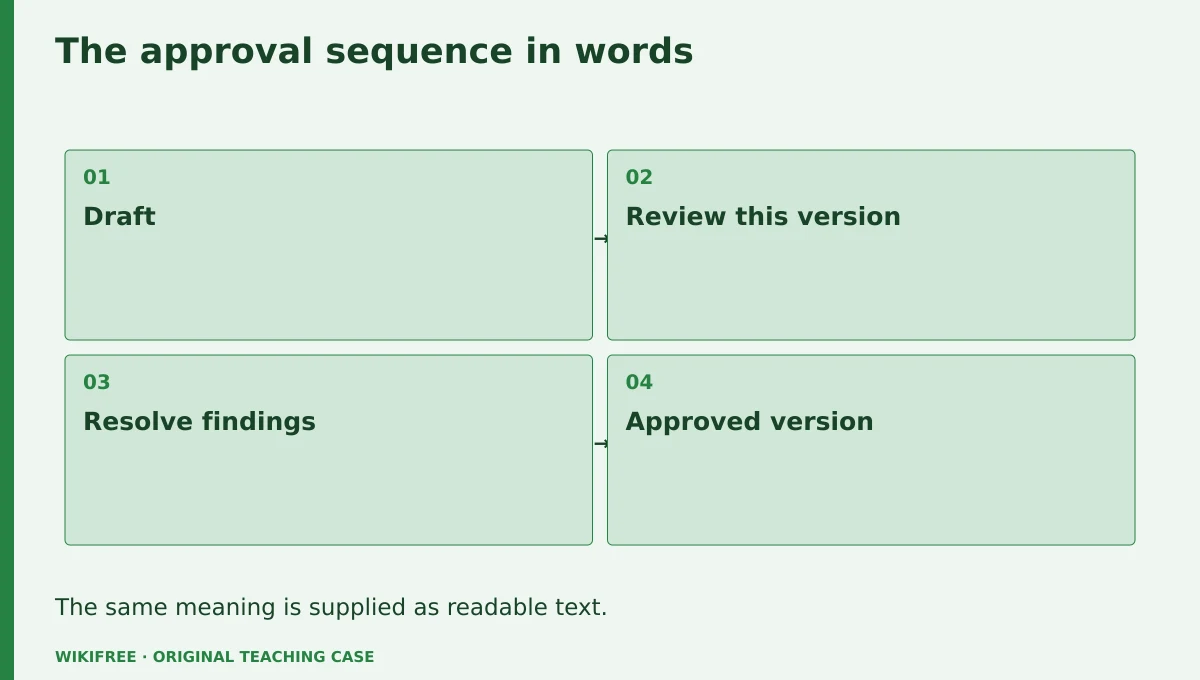
The table and explanations preserve the essential case information when the diagram is unavailable.
Your route
Five outputs, then a final handoff
- 01Design for varied reading needsSemantic outline
About 1h 30m including assigned learning and practice. - 02Write useful alternativesDiagram alternative
About 1h 50m including assigned learning and practice. - 03Repair tables and linksStructured report section
About 1h 10m including assigned learning and practice. - 04Review contrast and editing pitfallsAccessibility review log
About 1h 45m including assigned learning and practice. - 05Prepare a maintainable documentAccessible report template
About 55m including assigned learning and practice. - FINALCapstone reviewCombine the evidence into one inspectable handoff.
About 2h .
0 of 6 outputs checked. JavaScript adds browser-only progress saving.
The complete lesson and all downloads remain available. Use the printable project workbook to track your progress.
Use the minimum useful source material
The courses behind this route
Google Tech Writing for Accessibility: Free Self-Study Course
The published Google accessibility-writing course explicitly covers alternatives, contrast, diagrams and editing pitfalls.
Selected material only; this path does not claim completion of the entire provider course.
Course publication and selected public lesson metadata were checked on 13 October 2026. This is not a claim of full video playback, provider-course completion or permanent availability. Recheck the linked source if a lesson changes.
Learn, make, inspect
The five-stage workshop
Design for varied reading needs
Video 0m · reading budget 35m · original practice about 55m.
A document may be read visually, with assistive technology, at high zoom or without its original styling. Organize meaning before decoration. Use a clear title and logical headings, and keep essential explanations in text. The exercise repairs an HTML report rather than claiming a fully tagged PDF or Word file.
Assigned reading
Google Tech Writing for Accessibility: Free Self-Study Course: Design for everyone, through the course navigation.
Use the named provider navigation sections. Editorial reading budget for the named public material; not a verified completion duration
Do the work
Outline the report and assign heading levels.
Save this output
Semantic outline
Pass the review gate
Heading order expresses the actual section hierarchy.
If you need another attempt
Change styles for appearance instead of skipping structural levels.
Write useful alternatives
Video 0m · reading budget 40m · original practice about 1h 10m.
An alternative should communicate the image’s role in the document. A process diagram needs its sequence and any decision condition, not a list of colors and shapes. Complex information can use a concise alt plus a nearby detailed explanation. Decorative images may need empty alternatives, but this diagram carries meaning.
Assigned reading
Google Tech Writing for Accessibility: Free Self-Study Course: Image alternative text and accessible diagrams material.
Use the named provider navigation sections. Editorial reading budget for the named public material; not a verified completion duration
Do the work
Write an alt and a text equivalent for draft → review → approved.
Save this output
Diagram alternative
Pass the review gate
The approval condition is available without seeing the arrows.
If you need another attempt
Describe the relationship and condition instead of the drawing style.
Repair tables and links
Video 0m · reading budget 0m · original practice about 1h 10m.
Use table headers for the dimensions a reader needs to interpret each cell. Keep the table small and avoid using it only for page layout. Link text should remain meaningful when encountered outside a paragraph. Preserve the actual destination and avoid invented download links in a local prototype.
Original application stage. Use your preceding outputs and the supplied case; there is no additional required provider lesson.
Do the work
Build the status table and replace two vague links with descriptive labels.
Save this output
Structured report section
Pass the review gate
Each row status is explicit text and headers identify the columns.
If you need another attempt
Add a caption and header cells before styling the table.
Review contrast and editing pitfalls
Video 0m · reading budget 40m · original practice about 1h 5m.
Color can reinforce meaning but cannot carry it alone. Check text contrast and inspect the report at high zoom. A last-minute edit can break heading order, links or alternatives, so include accessibility in the revision checklist. Automated checks help, but they do not prove the entire reading experience is accessible.
Assigned reading
Google Tech Writing for Accessibility: Free Self-Study Course: Sufficient color contrast and accessibility pitfalls when editing documents.
Use the named provider navigation sections. Editorial reading budget for the named public material; not a verified completion duration
Do the work
Review the report at 200% zoom and without color cues.
Save this output
Accessibility review log
Pass the review gate
Status and navigation remain understandable without red/green distinction.
If you need another attempt
Add words or symbols with text equivalents rather than only stronger colors.
Prepare a maintainable document
Video 0m · reading budget 0m · original practice about 55m.
A reusable report template should preserve semantic defaults and explain how to add new sections correctly. Record what was reviewed and what remains untested. This package does not claim screen-reader testing unless actually performed. Give the next editor a short checklist tied to the document’s real components.
Original application stage. Use your preceding outputs and the supplied case; there is no additional required provider lesson.
Do the work
Create the final HTML report and editor checklist.
Save this output
Accessible report template
Pass the review gate
The handoff distinguishes automated inspection from human assistive-technology testing.
If you need another attempt
Remove blanket accessibility-compliant claims unsupported by the review.
Make the result inspectable
Your final project
Deliver the revised HTML report, heading outline, table, descriptive links, diagram alternative and review log. Add one new section and show that the hierarchy remains coherent.
The ZIP includes synthetic input data, a project workbook, worked reference, evidence log, scoring rubric and case-specific materials. Code projects include source and clearly stated local execution requirements.
Use one consistent rubric
| Criterion | Maximum | Evidence |
|---|---|---|
| Evidence and correctness | 30 | Calculations, source use and results match the supplied case; limitations are honest. |
| Required artifacts | 30 | All five stage outputs and the capstone handoff are present and inspectable. |
| Reasoning and decisions | 20 | Choices, assumptions, alternatives and the case-specific critical condition are explained. |
| Reproducibility | 10 | A reviewer can follow the stated steps and distinguish expected from observed results. |
| Clear communication | 10 | Labels, units, structure and evidence references make the work easy to review. |
Score at least 80/100, supply every required artifact, and satisfy the path-specific critical condition. Rework missing evidence before marking complete.
The critical condition
Essential meaning does not depend on color, visual position or an image alone.
Compare with a worked reference
The diagram’s meaning is: a draft enters review and becomes approved only after the reviewer accepts that version. The status table explicitly says Needs review or Approved, so meaning survives removal of red and green styling.
Know the boundary
This is an accessible-document practice template, not a certified PDF/Word artifact or a complete conformance audit.
Questions before you finish
Do I need to finish every source course?
No. This path names selected lessons or reading sections. Complete the full provider course only if it supports your wider goal. The path does not claim equivalence to that course.
How do I know when to advance?
Use the output and review gate in each stage. If evidence is missing or a result conflicts with the case, follow the repair step and retry before advancing.
Can I do the project without paid software?
The selected public provider lessons are free to view. The original case can be completed with paper, a text editor or freely available local tools. Paid exams, certificates, subscriptions and optional provider software are not required for this project.
What does my checklist prove?
It records your own review in this browser only. It does not verify viewing, skill, a provider credential or a real-world deployment.
What if a lesson or tool changes?
Use the linked course and provider page to inspect current availability. Record the change and revisit the relevant assignment; do not invent a replacement lesson or claim an unavailable activity was completed.
Questions & discussion
Share a useful question or correction. Comments appear after moderation. Please avoid personal or sensitive information.