Path 99 · The recovery copy desk · Beginner
Give the user a next step they can take.
A guided, practical route through helpful error messages.
What you will be able to do
Rewrite a set of interface errors with accurate causes, actionable recovery and a consistent review checklist.
Plan about 8h 35m in total. Reading and practice are editorial estimates; video runtimes come from public provider metadata. Your pace will vary.
Table of Contents
Before you begin
Check your starting point
What you need
Basic English writing and product familiarity. No coding or paid design tool is required.
The selected public provider lessons are free to view. The original case can be completed with paper, a text editor or freely available local tools. Paid exams, certificates, subscriptions and optional provider software are not required for this project.
Completing this Coursya path does not award a provider certificate. Any provider assessment, account requirement or credential must be checked separately on its official page.
Three readiness questions
Should an error blame a cause the system has not established?
No.
Is an error code alone enough for most users?
No.
Should every error tell the user to contact support?
Only when that is the relevant next step.
Use a workable pace
At 5 hours per week, allow about 2 weeks. Start with Stage 1, continue in order and reserve 2h for the capstone. If a gate fails, use its repair step before advancing. At another weekly budget, divide 515 estimated minutes by your available weekly minutes and round up.
Keep a small evidence folder. A checked box means you reviewed your output; it is not a certificate or proof that a provider lesson was watched.
The working case
From failure to a usable next step
A fictional upload form accepts PDF files up to 5 MB. The draft errors are Invalid, Something went wrong and Access denied. The system can distinguish unsupported file type, excessive size and insufficient permission, but it cannot always determine the cause of a network failure.
| Condition | Known fact | Recovery available |
|---|---|---|
| Wrong type | file is not PDF | choose a PDF |
| Too large | file exceeds 5 MB | choose a smaller PDF |
| No permission | account cannot upload | ask an administrator for access |
| Network failure | upload did not complete | check connection and retry |
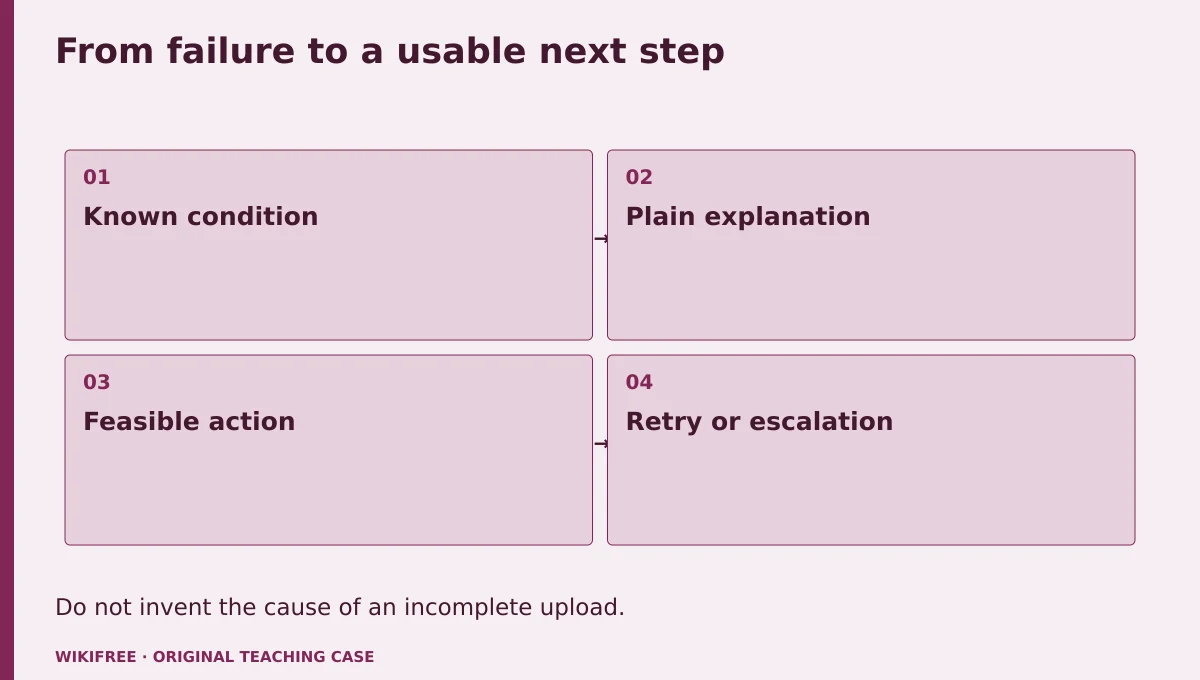
The table and explanations preserve the essential case information when the diagram is unavailable.
Your route
Five outputs, then a final handoff
- 01Understand the recovery goalError context table
About 1h 30m including assigned learning and practice. - 02Write specific and actionable copyTwo validation messages
About 2h including assigned learning and practice. - 03Handle permission and uncertaintyTwo recovery messages
About 1h 5m including assigned learning and practice. - 04Review consistency and accessibilityMessage specification
About 1h 5m including assigned learning and practice. - 05Test the copy against scenariosError-copy handoff
About 55m including assigned learning and practice. - FINALCapstone reviewCombine the evidence into one inspectable handoff.
About 2h .
0 of 6 outputs checked. JavaScript adds browser-only progress saving.
The complete lesson and all downloads remain available. Use the printable project workbook to track your progress.
Use the minimum useful source material
The courses behind this route
Google Writing Helpful Error Messages: Free Technical Writing Course
The published Google error-message course directly supports accurate, actionable messages and peer review.
Selected material only; this path does not claim completion of the entire provider course.
Course publication and selected public lesson metadata were checked on 13 October 2026. This is not a claim of full video playback, provider-course completion or permanent availability. Recheck the linked source if a lesson changes.
Learn, make, inspect
The five-stage workshop
Understand the recovery goal
Video 0m · reading budget 35m · original practice about 55m.
An error message should explain the problem at the level the audience can use and offer a feasible next step. It should not expose internal details merely to sound precise. Start from what the system actually knows. The writing course focuses on messages rather than implementation, and this project follows that boundary.
Assigned reading
Google Writing Helpful Error Messages: Free Technical Writing Course: Course introduction and general error handling rules.
Use the named provider navigation sections. Editorial reading budget for the named public material; not a verified completion duration
Do the work
Map the four conditions to known facts and available actions.
Save this output
Error context table
Pass the review gate
No message asserts a cause beyond the known condition.
If you need another attempt
Separate observed failure from a guessed explanation.
Write specific and actionable copy
Video 0m · reading budget 45m · original practice about 1h 15m.
Name the relevant object and the correction without unnecessary blame. A file-type error can specify PDF; a size error can state the actual limit. Avoid vague pronouns when several fields or files are present. Keep the primary message concise and use supporting detail only when it helps recovery.
Assigned reading
Google Writing Helpful Error Messages: Free Technical Writing Course: Self-study guidance on clear, helpful error messages.
Use the named provider navigation sections. Editorial reading budget for the named public material; not a verified completion duration
Do the work
Rewrite the type and size errors in one or two sentences each.
Save this output
Two validation messages
Pass the review gate
Both messages state the rule and a feasible correction.
If you need another attempt
Replace invalid with the specific condition that failed.
Handle permission and uncertainty
Video 0m · reading budget 0m · original practice about 1h 5m.
Some failures cannot be fixed by changing the current input. A permission message should explain the available route without promising access will be granted. A network failure should not be described as a bad password or server outage without evidence. Preserve uncertainty while still offering a useful retry path.
Original application stage. Use your preceding outputs and the supplied case; there is no additional required provider lesson.
Do the work
Write permission and incomplete-upload messages.
Save this output
Two recovery messages
Pass the review gate
The network message says the upload did not complete and does not invent a cause.
If you need another attempt
Use a known effect plus a practical next step.
Review consistency and accessibility
Video 0m · reading budget 0m · original practice about 1h 5m.
Review terminology, tone, length and placement across the set. Do not rely on a red border or icon alone. An implementation would need to associate messages with fields and announce relevant updates; the writing package specifies these requirements without claiming they were implemented.
Original application stage. Use your preceding outputs and the supplied case; there is no additional required provider lesson.
Do the work
Create a review checklist and annotate where each message belongs.
Save this output
Message specification
Pass the review gate
Every message has a trigger, location and recovery action.
If you need another attempt
Connect copy to the exact state that displays it.
Test the copy against scenarios
Video 0m · reading budget 0m · original practice about 55m.
A scenario review asks whether a reader can identify the problem and next action from the message. It is not a substitute for actual usability research. Use the supplied conditions to test accuracy and create a plan for future user review. Do not invent participant feedback or support-ticket reductions.
Original application stage. Use your preceding outputs and the supplied case; there is no additional required provider lesson.
Do the work
Review all four messages and record one revision with its reason.
Save this output
Error-copy handoff
Pass the review gate
Claims of effectiveness are limited to the review actually performed.
If you need another attempt
Replace performance promises with a testable question.
Make the result inspectable
Your final project
Deliver the condition table, four final messages, trigger and placement notes, checklist and scenario review. Add a fifth condition where retrying is unsafe and explain a different recovery instruction.
The ZIP includes synthetic input data, a project workbook, worked reference, evidence log, scoring rubric and case-specific materials. Code projects include source and clearly stated local execution requirements.
Use one consistent rubric
| Criterion | Maximum | Evidence |
|---|---|---|
| Evidence and correctness | 30 | Calculations, source use and results match the supplied case; limitations are honest. |
| Required artifacts | 30 | All five stage outputs and the capstone handoff are present and inspectable. |
| Reasoning and decisions | 20 | Choices, assumptions, alternatives and the case-specific critical condition are explained. |
| Reproducibility | 10 | A reviewer can follow the stated steps and distinguish expected from observed results. |
| Clear communication | 10 | Labels, units, structure and evidence references make the work easy to review. |
Score at least 80/100, supply every required artifact, and satisfy the path-specific critical condition. Rework missing evidence before marking complete.
The critical condition
Every stated cause is supported by the known condition and every recovery step is feasible in that state.
Compare with a worked reference
For an oversized file: This PDF is larger than 5 MB. Choose a smaller PDF and try again. For an unknown network cause: The upload did not complete. Check your connection and try again. The second message avoids claiming that the server or the user caused the failure.
Know the boundary
This is a content-design specification, not implemented interface behavior or measured reduction in user errors.
Questions before you finish
Do I need to finish every source course?
No. This path names selected lessons or reading sections. Complete the full provider course only if it supports your wider goal. The path does not claim equivalence to that course.
How do I know when to advance?
Use the output and review gate in each stage. If evidence is missing or a result conflicts with the case, follow the repair step and retry before advancing.
Can I do the project without paid software?
The selected public provider lessons are free to view. The original case can be completed with paper, a text editor or freely available local tools. Paid exams, certificates, subscriptions and optional provider software are not required for this project.
What does my checklist prove?
It records your own review in this browser only. It does not verify viewing, skill, a provider credential or a real-world deployment.
What if a lesson or tool changes?
Use the linked course and provider page to inspect current availability. Record the change and revisit the relevant assignment; do not invent a replacement lesson or claim an unavailable activity was completed.
Questions & discussion
Share a useful question or correction. Comments appear after moderation. Please avoid personal or sensitive information.