Listed as Free on Udemy when checked on 9 November 2026. No coupon or subscription trial is required for the listed lessons. Enrollment needs a Udemy account; availability can change.
About this course
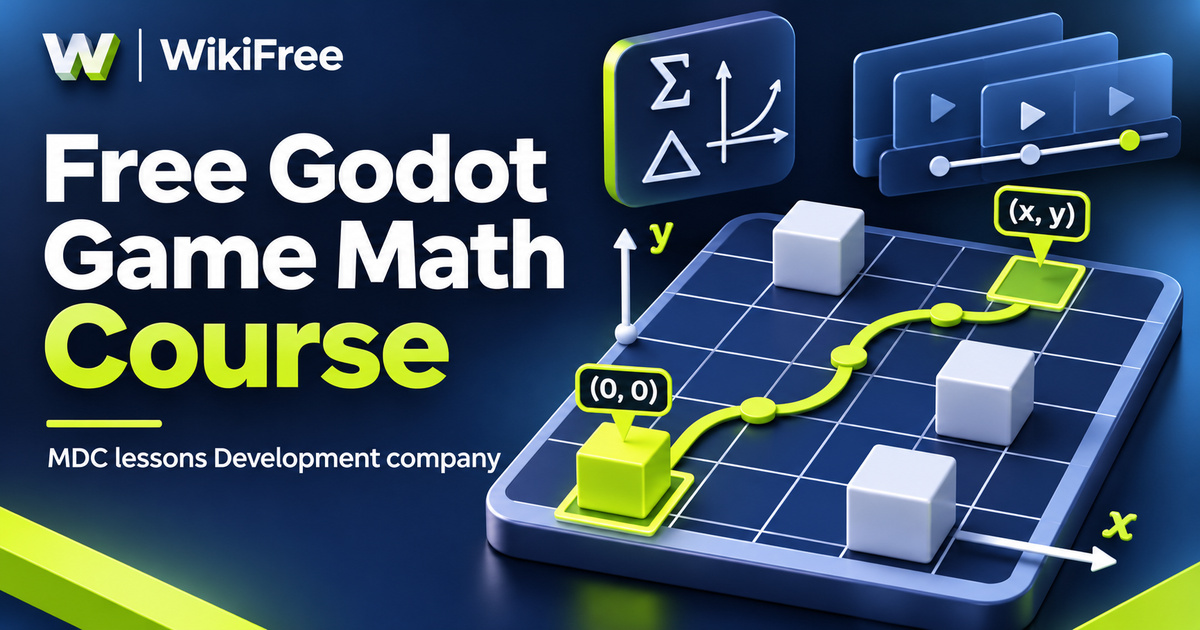
A game becomes easier to understand when you can explain what changes after a click. A label displays a value, a piece moves to a position, and a condition decides whether another action is allowed. This free Godot course uses a turn-based game example to bring those connections into view. It offers a practical introduction to small game elements and the scripts that coordinate them.
The course is listed by MDC lessons Development company and taught in English. Its focus suits beginners who want to connect the Godot editor with GDScript, especially learners who prefer a visible result for each programming idea. Expect a sequence of modest building blocks rather than a complete commercial game, an advanced mathematics qualification, or a comprehensive treatment of every engine feature.
| Official course | GODOT: Video games math |
|---|---|
| Created by | MDC lessons Development company |
| Platform | Udemy |
| Language | English |
| Level | Beginner |
| Listed duration | 108 minutes; 16 lectures across 3 sections |
| Completion terms | Not included with a new free enrollment |
What you’ll learn
You will explore how scenes, labels, buttons, tiles and sprites can work together in a two-dimensional project. The lessons connect basic calculations and value conversion with signals, arrays and conditional branches. Movement, animation and a pickable item provide settings in which those ideas become visible. The emphasis is on following the relationship between a piece of data, a script decision and a change on screen.
Skills you’ll gain
- Godot scene organisation
- GDScript value conversion
- Button signal handling
- Array-based movement logic
- Conditional game rules
- Animation setup
Build the screen before adding complexity
The opening section introduces the engine, a new project and a first scene. Labels then provide a way to display information while you work. That is a useful learning habit: making a value visible can help you understand what the program currently believes, instead of guessing from the final animation alone. The material also introduces tilesets and button settings as parts of a small interactive scene.
The next step is to connect those elements. A button can initiate a response, while a script stores or converts the value needed for that response. The course includes string and integer conversion alongside its introductory calculations. When practising, keep the stored value separate from the text used to present it. Clear names make it easier to see whether a variable represents a count, a position or a display message.
Follow one move through the project
The central section develops game elements using arrays, conditional branches and positions. Instead of treating movement as a mysterious effect, trace the decision that comes first: which destination is selected, what information is available, and which condition permits the change? The lessons also introduce animation setup and a pickable item, giving you further opportunities to connect stored state with visible feedback.
For an independent practice exercise, draw a short route of squares on paper and represent the moving piece with a plain coloured block. Write down its current square and the next permitted square before changing anything. Add a displayed move count only after the route behaves as expected. This exercise is an additional study idea, not a promised course assignment or supplied project file. It keeps the focus on explaining each transition clearly.
Use the recording with a matching reference
The course page reports an August 2022 update. Its older node names and editor workflow need attention when used with newer Godot releases. For example, the official migration guide maps Sprite to Sprite2D. Check the documentation for the version you use before copying a menu instruction or method name. The course is a starting point for these concepts, not a guarantee that every recorded step matches a current installation.
Position also has a specific meaning in a scene hierarchy. A Node2D position is relative to its parent; global_position uses global coordinates. Mixing the two can move an object somewhere unexpected. Godot itself is free and open source, while any third-party assets have their own terms. The listing also advertises articles and downloadable resources and includes a quiz; those extras do not imply a verified certificate, complete project assets or unrestricted reuse rights. Start with the lessons, test one small change at a time, and build confidence by explaining the result.
Read the Godot engine license: Check engine and redistribution terms. Check the Godot migration guide: Match names and APIs to your engine version. Understand Node2D coordinates: Distinguish local and global position.
Related courses for your next step
- Build a programming foundationFree Python Programming Course: Write and Test Your First Programs
Practise variables, functions and small programs in Python; the language differs from GDScript, so compare ideas rather than copying syntax.
Beginner
Frequently asked questions
Is this a free course in English?
The course currently lists free enrolment and English instruction. Godot is also free and open source. Check the enrolment page for any later changes and review separate asset licences before using third-party material.
Does this teach advanced game mathematics?
It introduces practical calculations, value conversion and movement logic through a turn-based example. It is not presented here as a full linear algebra, physics or advanced algorithms course.
Will the recording match the latest Godot interface?
The listed update is August 2022. Newer versions use different names and workflows in some areas, so consult the documentation for your chosen version and adapt carefully.
Learner reviews
Tell other learners what you actually tried. Reviews are moderated and may come from learners who have started or completed the course.
No published learner reviews yet.
Sign in to write a reviewQuestions still belong in the discussion below. Review and ranking rules.
Questions & discussion
Share a useful question or correction. Comments appear after moderation. Please avoid personal or sensitive information.