Listed as Free on Udemy when checked on 7 November 2026. No coupon or subscription trial is required for the listed lessons. Enrollment needs a Udemy account; availability can change.
About this course
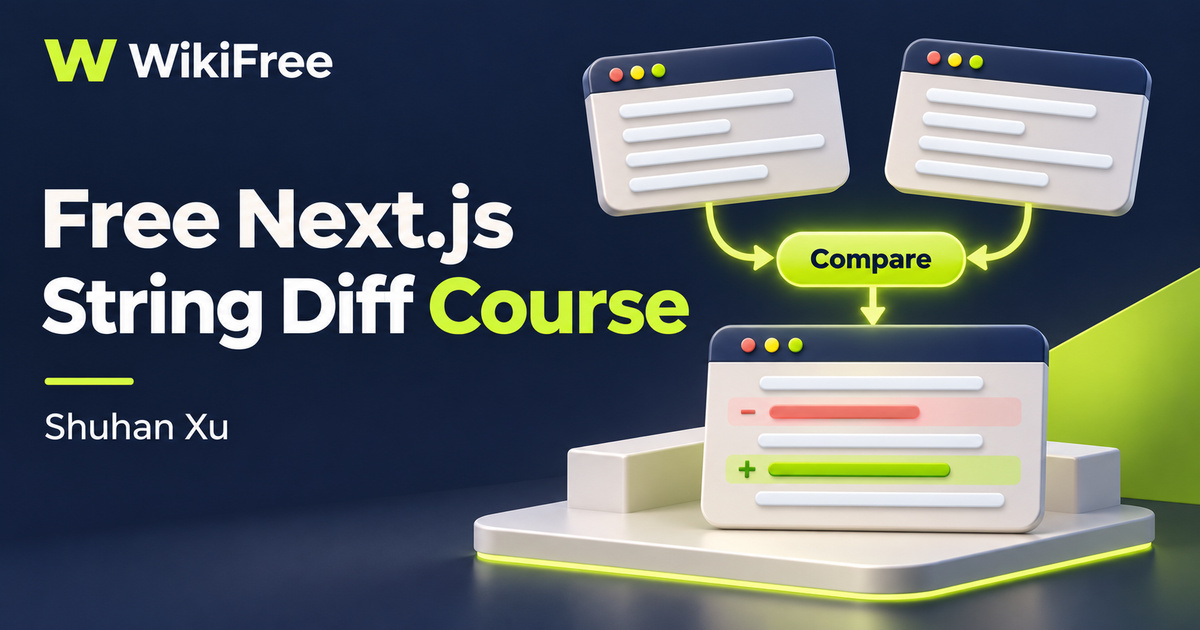
A useful web project can begin with one small interaction: paste two pieces of text, press Compare and see what changed. This free Next.js course by Shuhan Xu uses that idea to introduce a browser-based string comparison tool. It brings together a focused interface, a comparison library and a deployment destination without trying to turn the example into a large application.
The English-language course has five videos across four sections, totaling thirty-two minutes and seven seconds. An introduction leads into the reasoning behind a tooling website, followed by a short fundamentals lesson, a longer construction walkthrough and a closing deployment lesson. Most of the practical development time sits in the eighteen-minute step-by-step video, making the course a compact project demonstration.
The source labels the course Beginner but asks for coding fundamentals and frontend experience, and names intermediate JavaScript developers as its audience. Some familiarity with JavaScript and component-based interfaces will make the pace more manageable. Coursya therefore maps it to Intermediate. It is an opportunity to connect familiar pieces in a small project, rather than a complete introduction to programming.
| Official course | Use nextjs to build a tooling website |
|---|---|
| Created by | Shuhan Xu |
| Platform | Udemy |
| Language | English |
| Level | Intermediate |
| Listed duration | 32 minutes; 5 lectures across 4 sections |
| Completion terms | Not included with a new free enrollment |
What you’ll learn
Understand how a narrowly defined text utility becomes a web interface. Follow the relationship between two input areas, a comparison action and a displayed result; identify the roles of Next.js, styling and component libraries; and distinguish building the example from configuring its deployment.
Skills you’ll gain
- Focused utility planning
- Text comparison concepts
- Next.js project structure
- Component library roles
- Input and result design
- Deployment scope awareness
Give the tool one clear job
The thought-process section asks what a tooling website is, why someone might need one and how to build it. The string-diff example gives those questions a concrete answer: a visitor has two versions of text and wants to locate their differences. That focus helps keep the interface understandable. It also gives you a clear criterion for judging the prototype before considering extra features.
Separate comparison from presentation
A comparison library and a component library solve different problems. The Diff Library described by the course handles text comparison, while the interface presents inputs and results. NextUI supplies interface components, and Tailwind participates in styling. Keeping those roles separate makes the walkthrough more useful than simply copying a screen: you can ask which part of the project owns each behavior.
The available lesson summaries describe a Next.js project scaffold with TypeScript and Tailwind, a development server and an interface with two inputs and a compare button. The longer construction lesson connects these pieces. Its purpose is a working string-comparison example; the public curriculum does not establish a broader document-management system, account workflow or collaboration service.
Read changes without overinterpreting them
When interpreting a diff, remember that textual change and meaning are different things. A changed word or punctuation mark may be easy to highlight, but the display does not decide whether a revision is accurate or appropriate. Use the result as an aid to inspection. The course does not promise semantic fact-checking, legal document review or a universally optimal comparison algorithm.
Adapt the recording to current tools
The listing was updated in February 2024, so package names and setup instructions need context when you follow it today. NextUI has since become HeroUI. The official migration guidance covers package names, imports, provider components and styling configuration. Treat that as a separate reference when adapting the recording, rather than assuming a name substitution alone makes every older project compatible.
Current Next.js documentation also distinguishes server and client components. Interactive state and event handlers belong in client components, and the use client directive defines the relevant boundary. This is useful background for a tool whose button responds to typed input. It does not mean that every Next.js file must become a client component or that the framework runs only in the browser.
Understand the deployment boundary
The final video is titled Buy a domain and deploy using vercel and lasts four minutes and fifty-one seconds. The course description confirms Vercel deployment and custom-domain connection as part of its scope. No detailed description is exposed for that individual lesson, so this overview does not promise particular DNS commands, account screens or production configuration steps.
Try a small comparison exercise
For an independent exercise, write two short versions of a fictional meeting notice. Change one word, add a sentence and leave another sentence unchanged. Sketch the two input panels and decide how the result should distinguish additions, removals and unchanged text. Add an identical-input case and an empty-input case. These are suggested checks for your own learning, not supplied assessments or tests that have been executed.
As you refine that sketch, consider labels and readable output alongside visual highlighting. A person should be able to tell which text is the original, which is the revision and when the displayed result was last calculated. This kind of small design decision helps connect a programming demonstration to an understandable utility without claiming that the course covers a full accessibility audit.
The confirmed offer is free viewing of the listed lessons. A custom domain, hosting arrangements or other external services have their own terms and possible costs; they are separate from course access. Building and deploying a tool does not establish search traffic, income or ongoing maintenance. Use this short project to practice a focused development workflow and identify what you would need to investigate before publishing your own version.
Related courses for your next step
- Revisit JavaScript conceptsFree JavaScript Course
Revisit JavaScript concepts before adapting an interactive comparison tool.
Intermediate
Frequently asked questions
Do I need programming experience?
Yes. The listing asks for coding fundamentals and frontend experience. Its stated audience is intermediate JavaScript developers despite the source Beginner label.
Does the course guarantee free hosting or a free domain?
No. Free course access is separate from external hosting and domain terms. The final lesson introduces deployment and domain connection.
Are NextUI and HeroUI different names I should check?
Yes. NextUI was renamed HeroUI. Consult the official migration guidance when adapting older package imports and configuration.
Questions & discussion
Share a useful question or correction. Comments appear after moderation. Please avoid personal or sensitive information.