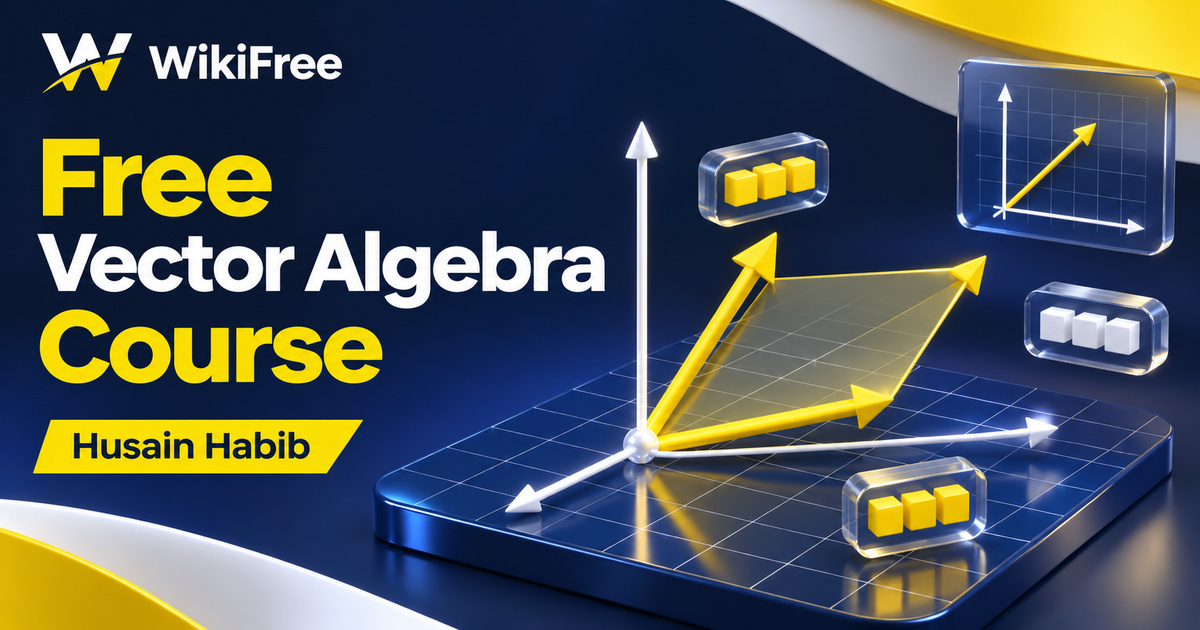
Listed as Free on Udemy when checked on 7 November 2026. No coupon or subscription trial is required for the listed lessons. Enrollment needs a Udemy account; availability can change.
About this course
A vector calculation can look very different on paper, in a numerical workspace and on a geometric plot. This free vector algebra course brings those representations together through worked mathematical topics and companion MATLAB and GeoGebra demonstrations. It is a focused starting point for learners who already know vectors at secondary-school level and want to revisit the ideas used in engineering and physics.
Husain Habib presents the course as the first part of an electromagnetic tutorial series. The material available here concentrates on vector algebra, with a brief preview of cylindrical coordinates. The broader chapter list in the description outlines the intended series; it does not mean that this individual course contains full instruction on electrostatics, magnetostatics or Maxwell’s equations.
| Official course | Electromagnetic Tutorials part 1 with MATLAB & GeoGebra |
|---|---|
| Created by | Husain Habib |
| Platform | Udemy |
| Language | English |
| Level | Beginner |
| Listed duration | 166 minutes; 22 lectures across 6 sections |
| Completion terms | Not included with a new free enrollment |
What you’ll learn
Review vector magnitude, unit vectors, addition, subtraction and distance between points. Explore dot products through angles, projections and collinearity, then move to cross products and scalar and vector triple products. Follow the companion software examples and a separate group of worked practice videos to connect the calculations with their geometric meaning.
Skills you’ll gain
- Vector magnitude and direction
- Coordinate difference reasoning
- Dot product interpretation
- Vector projection concepts
- Cross product geometry
- Scalar and vector product distinctions
Connect the calculation with the picture
The six sections contain 22 videos totaling approximately two hours and 47 minutes. Many topics pair a mathematical explanation with a software demonstration. This gives you an opportunity to ask the same question twice: what does the operation mean, and how is it represented by coordinates or a command? A visual result is most useful when you can explain why it agrees with the calculation.
Start by keeping a vector’s magnitude separate from its components. A unit vector retains a direction while having length one, and normalizing a vector requires a nonzero magnitude. For distance between two points, form their coordinate difference before finding its length. These distinctions help prevent common mistakes such as treating a point’s position coordinates as the displacement between two different points.
Check what each product returns
The dot-product sequence considers angles, projections and whether points lie on a line. For real nonzero vectors, the angle relationship connects the dot product with their magnitudes. A projection along another vector also requires that reference vector to be nonzero. When checking collinearity, remember that parallel directions can point the same way or opposite ways: an angle of zero is not the only possible arrangement.
The cross product in three dimensions returns a vector. Its magnitude gives the area of the parallelogram formed by the two input vectors, and reversing the input order reverses its direction. The scalar triple product returns a number whose absolute value gives the corresponding parallelepiped volume. A vector triple product returns a vector, so it is not the same volume calculation. Keeping track of the output type is a useful check before interpreting a software result.
Use worked examples actively
The practice section contains four videos addressing basic vector operations, distance, dot products and cross products. These are worked video examples rather than a promise of individually marked assessment. Try pausing before a solution, predicting the result’s type and sketching its geometry. Then compare your reasoning with the explanation instead of judging success only by whether the final numbers match.
For an additional editorial exercise, choose two simple nonzero three-dimensional vectors and predict whether their dot product should be positive, negative or zero. Sketch their directions and identify what changing the order of a cross product should do. This suggestion is not an advertised course assignment or a completed software test. Keep any numerical example small enough that you can check its reasoning independently.
Separate learning access from software access
The recorded lessons are listed as free, but a MATLAB software entitlement is separate. Check any access available through your institution or the current MathWorks licensing options before planning to reproduce every demonstration. GeoGebra has its own license conditions, including a distinction between non-commercial educational use and commercial use. The course does not grant a software license or unrestricted rights to redistribute external materials.
The listing was last updated in May 2019, so expect differences between recorded interfaces and current applications. Twelve downloadable resources are advertised, but their individual contents are not described here. The concluding video points toward further tutorials, and the short cylindrical-coordinate preview does not replace a full course on coordinate systems. Use this introduction to strengthen the mathematical foundation, then choose further study that matches your actual syllabus.
Read MATLAB cross-product documentation: Check input dimensions, vector direction and geometric interpretation. Check GeoGebra license conditions: Distinguish learning access from software use and redistribution rights.
Related courses for your next step
- Explore a browser computing environmentFree Octave Online Course
Review a separate orientation to scripts, plotting and a numerical workspace.
Beginner
- Explore technical computingFree Julia Technical Computing Course
Explore a separate introduction to numerical programming with Julia.
Beginner
Frequently asked questions
Does this course cover the complete electromagnetic series?
No. This course focuses on vector algebra, with a short cylindrical-coordinate preview. The other chapters named in the description are not complete sections of this course.
What background is expected?
The stated requirement is secondary-school knowledge of vectors. The intended audience includes electrical and electronic engineering learners and physics students.
Are MATLAB access and downloadable materials fully included?
A MATLAB entitlement is separate from free lesson viewing. The listing advertises twelve resources, but this article does not establish their contents or redistribution rights.
Questions & discussion
Share a useful question or correction. Comments appear after moderation. Please avoid personal or sensitive information.