Listed as Free on Udemy when checked on 7 November 2026. No coupon or subscription trial is required for the listed lessons. Enrollment needs a Udemy account; availability can change.
About this course
A model and its surface need to work together. An interesting shape can still look confusing when a texture stretches across it, while a simple object can become much clearer with deliberate color and material choices. Brian Ericson's Basics of 3D Graphics with Blender 2.7x offers a short introduction to that connection, moving from elementary mesh editing into UV mapping, texture painting, and basic materials.
This is an older English course, currently offered free on Udemy, with five sections and a listed running time of about thirty-six minutes. The instructor explicitly explains that it became free after Blender's major interface change and that student support is no longer provided. Consider it a compact introduction to concepts in a legacy interface, particularly if you are comfortable comparing older demonstrations with documentation for your installed version.
| Official course | Basics of 3D Graphics with Blender 2.7x |
|---|---|
| Created by | Brian Ericson |
| Platform | Udemy |
| Language | English |
| Level | Beginner |
| Listed duration | 36 minutes; 21 lectures across 5 sections |
| Completion terms | Not included with a new free enrollment |
What you’ll learn
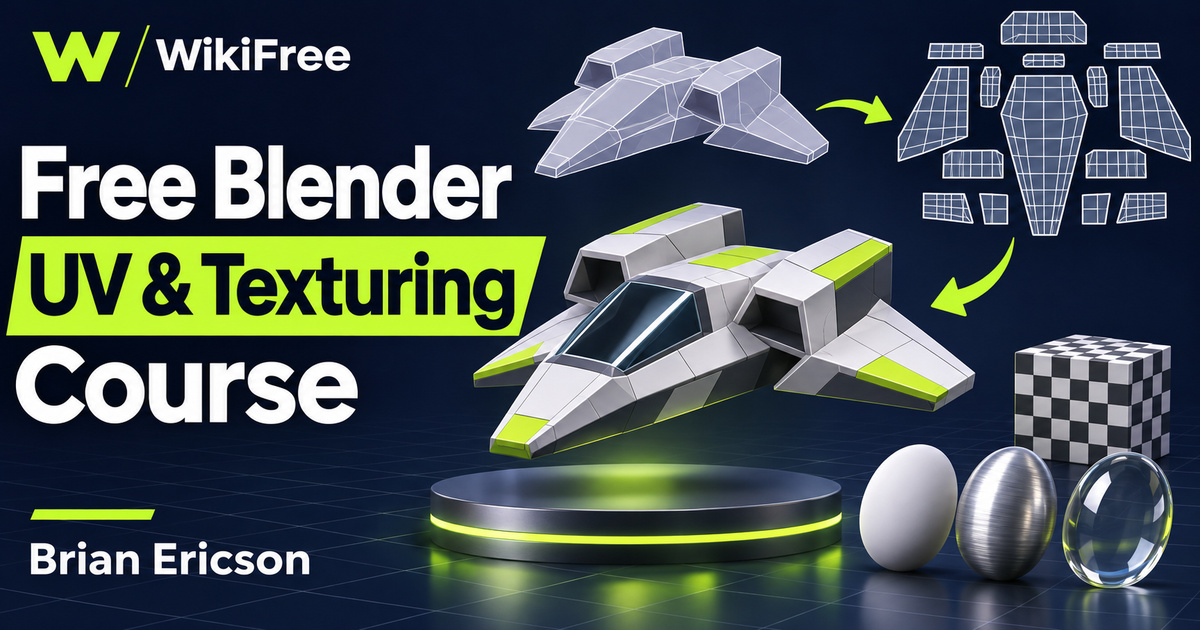
Explore the relationship between manipulating an object, editing its geometry, arranging its surface coordinates, and giving it a visible texture. The teaching sequence includes a simple spacecraft example, UV unwrapping, texture painting, and a brief set of Cycles material demonstrations. These topics can help you recognize where a problem belongs: in the model's shape, its UV arrangement, its image, or its material settings. The course introduces that vocabulary without promising a complete game-development workflow.
Skills you’ll gain
- Viewport navigation
- Basic mesh editing
- Symmetrical modeling
- UV unwrapping
- Texture painting
- Material comparison
Start with a shape you can understand
The first section covers preferences, the interface, moving around the viewport, and manipulating objects. It then turns to Edit Mode tools and modifiers. Keeping these two kinds of work distinct is useful: moving an entire object changes its placement, while editing vertices, edges, and faces changes the geometry within it. Short demonstrations leave plenty of room to pause and try an operation on a simple shape of your own.
A spacecraft solution brings several editing operations into a recognizable example. The public summary describes extrusion, edge loops, bevels, and symmetry. You do not need a complicated subject to practise these relationships. A small object makes it easier to see which edge moved and whether a mirrored part still meets the rest of the form. Mirror clipping also has a specific role at the mirror plane; it is not a universal repair for every possible intersection in a mesh.
Unwrap before deciding how to paint
Two lessons focus on UV mapping before a separate lesson introduces basic texturing. UV coordinates connect locations on a model's surface to positions in an image. Thinking about seams and the arrangement of flattened pieces helps explain why a stripe or a painted detail might land somewhere unexpected. This stage can make a previously abstract idea visible: a three-dimensional shape has to share a two-dimensional image area.
For your own practice, a checker pattern is a useful visual aid for spotting uneven stretching. Keep the shape simple, compare the squares on different faces, and adjust one decision at a time. This is an optional exercise suggested here, not a description of an unseen course assignment. Also check that edited texture images are saved through the appropriate image controls; saving the scene alone should not be treated as proof that every image edit has been preserved.
Compare materials with the version in mind
The materials section explicitly names Blender 2.79 as its target. Its brief lessons introduce Cycles, environment lighting, and metal, plastic, and glass appearances, followed by an image texture on a material. The useful comparison is how different settings change the same form. A reflective surface and a matte surface can reveal its edges very differently, even when the underlying geometry remains unchanged.
The old shader interface is a meaningful limitation. Blender's Principled BSDF has since been revised, including changes to inputs and layering, so copying a value into a similarly named control may not reproduce the same result. Use the manual for your installed version to interpret the concept. The course can introduce material thinking without guaranteeing identical renders, current shortcut placement, or compatibility with every modern game engine.
Keep the learning scope manageable
The listing advertises assignments, two articles, and two downloadable resources. Public titles also include quizzes and an export item, but their bodies are not part of this overview. The visible bonus video concerns two-dimensional game assets. Treat those additions as supporting material to inspect when available, rather than a promise of a complete export pipeline, instructor feedback, or certification. A sensible first goal is one small model whose shape, UV layout, and saved texture you can explain.
Read about revised material settings: Official explanation of changes to the Principled BSDF.
Related courses for your next step
- Explore shape-based vector drawingFree Illustrator Vector Shapes Course
Practice selecting and combining two-dimensional vector shapes.
Beginner
- Describe simple graphics in codeFree SVG Basics Course
Explore a different route to geometric images with shapes, text and links.
Beginner
Frequently asked questions
Is the course free and taught in English?
The current public Udemy listing marks it as a free English course. Check the listing again when enrolling, and review any separate resource terms before reuse.
Does it teach current Blender menus?
No. The title specifies Blender 2.7x, and the materials section names 2.79. The instructor also says student support is no longer provided.
Is this a complete game-development course?
It introduces modeling, UV mapping, texturing, and basic materials. An export item and bonus video do not establish a complete training path for a particular game engine.
Learner reviews
Tell other learners what you actually tried. Reviews are moderated and may come from learners who have started or completed the course.
No published learner reviews yet.
Sign in to write a reviewQuestions still belong in the discussion below. Review and ranking rules.
Questions & discussion
Share a useful question or correction. Comments appear after moderation. Please avoid personal or sensitive information.