Listed as Free on Udemy when checked on 8 November 2026. No coupon or subscription trial is required for the listed lessons. Enrollment needs a Udemy account; availability can change.
About this course
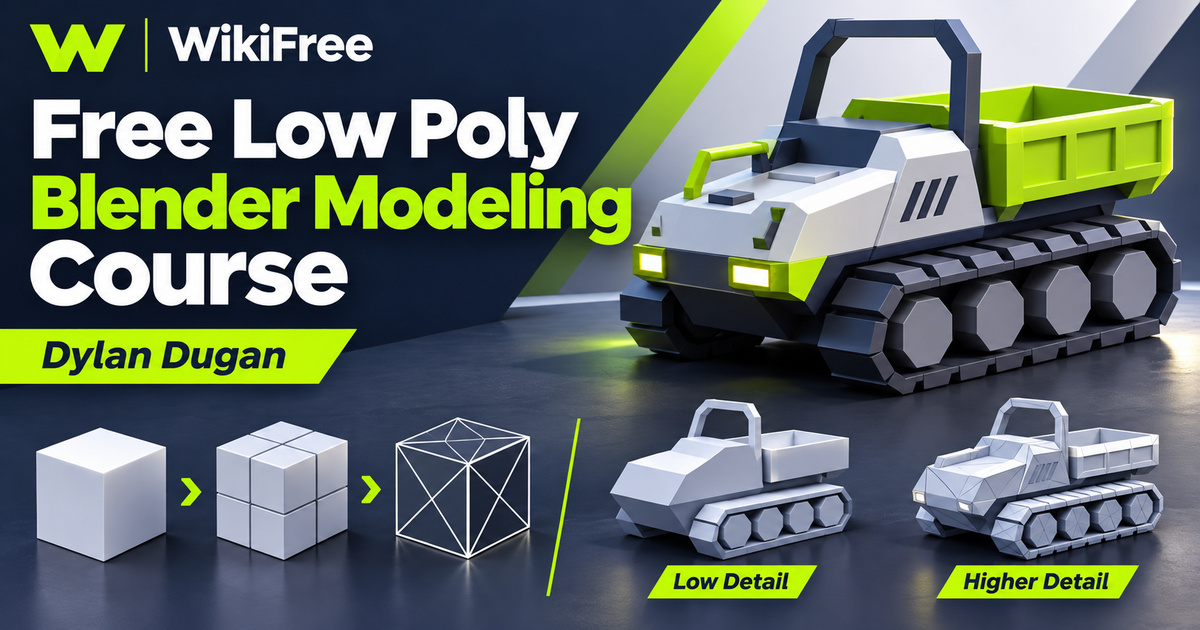
A compact modeling exercise can make Blender feel less abstract. Dylan Dugan's free course offers a short sequence for building a simple low poly object, beginning with basic shapes and moving through successive refinements. It suits learners who want a small project to practise before attempting a larger environment or a complete game asset pipeline.
The page shows a June 2024 update, while the instructor explicitly identifies Blender 2.79 as the version used in the demonstrations. Those are different facts: a recent page update does not establish that every recording uses a recent interface. Expect to translate some controls if you work in a newer release, and check the requirements for your chosen version before starting.
| Official course | Blender Model / How to Create a Low Poly Model Fast |
|---|---|
| Created by | Dylan Dugan |
| Platform | Udemy |
| Language | English |
| Level | Beginner |
| Listed duration | 32 minutes; 7 lectures across 2 sections |
| Completion terms | Not included with a new free enrollment |
What you’ll learn
Explore a sequence of shape editing, repeated components, simple material choices and finishing adjustments. The available lesson summaries describe scaling, extrusion, duplication and mesh reduction around a mechanical model. A separate timelapse provides another view of the sequence, followed by closing notes. The course is a compact modeling introduction rather than a complete treatment of animation, rigging, export settings or game-engine performance.
Skills you’ll gain
- Basic mesh shaping
- Proportion comparison
- Repeated component placement
- Simple material assignment
- Polygon reduction awareness
- Model revision planning
Work from broad forms toward small details
The most useful way to approach a short demonstration is to pause at meaningful changes. Before adding a detail, identify the larger form it belongs to. Ask whether its position and scale help explain the object. This keeps the exercise focused on relationships between shapes rather than on accumulating operations that are difficult to understand later.
The public summaries describe a tracked mechanical subject, with a main body, repeated track sections and smaller attachments. Their terminology varies, so the exact machine label is less useful than the construction ideas. Treat the lesson sequence as an opportunity to observe how separate pieces are placed and adjusted. It does not establish engineering dimensions or the function of a real machine.
Give repeated parts a clear purpose
A repeated element can make an object readable, but repetition also creates more geometry to manage. As an independent practice habit, keep a simple record of which piece you duplicated and why. If a row looks uneven, compare the source part and the spacing before adding another copy. A deliberate revision is usually more informative than continuing with a shape you cannot explain.
Try a second pass using fewer repeated pieces. Compare the silhouette at the same viewing angle and decide which details still communicate the idea. This is a suggested extension to the exercise, not an additional instructor assignment. It also gives you a reason to distinguish an attractive close-up from a shape that remains understandable at a smaller display size.
Read reduction settings carefully
Blender's Decimate modifier can reduce mesh complexity, but a lower count alone does not establish a better model. In Collapse mode, the manual explains that the ratio calculation uses triangles. When other polygon types remain, the visible face count may not match a simple calculation based on the original number of faces. The result needs inspection rather than a single universal setting.
Save a copy before experimenting with reduction. Compare the broad outline and important corners, then look for changes in small features. This comparison is a practical way to connect a numerical control with a visible result. It does not imply that the course supplies a validated polygon budget for your project or that decimation automatically repairs topology.
Keep the next step realistic
The seven listed entries total just under thirty-two minutes. Watching time and practice time are different, so plan room to pause and rebuild. One downloadable resource is advertised; check its contents and terms before relying on it as part of a separate project. The instructor's old-computer example also should not replace the hardware requirements of a current Blender release.
If your aim is a game asset, use this course as an initial modeling exercise. You will still need to choose a target engine and test scale, materials, collision behavior and performance in that environment. A promising shape is a useful starting point; suitability for a particular game comes from that later work. No certificate, income result or guaranteed completion time is needed to make a focused practice session worthwhile.
Understand mesh reduction: Blender manual reference for Collapse mode and triangle-based ratios. Check Blender hardware requirements: Official requirements for supported releases and older versions.
Related courses for your next step
- Explore shape-based vector drawingFree Illustrator Vector Shapes Course
Practice selecting and combining two-dimensional vector shapes.
Beginner
- Describe simple graphics in codeFree SVG Basics Course
Explore a different route to geometric images with shapes, text and links.
Beginner
Frequently asked questions
Which Blender version appears in the course?
The instructor identifies Blender 2.79. The course page's June 2024 update should not be read as proof that the demonstrations use a newer version.
Does low poly automatically mean game-ready?
No. A reduced mesh still needs checks for the intended engine and project. The course can support modeling practice without guaranteeing a complete production asset.
Is the timelapse a separate full project?
It is listed as a timelapse of the series. Use it as a recap of the modeling sequence, rather than assuming it adds a second complete project.
Learner reviews
Tell other learners what you actually tried. Reviews are moderated and may come from learners who have started or completed the course.
No published learner reviews yet.
Sign in to write a reviewQuestions still belong in the discussion below. Review and ranking rules.
Questions & discussion
Share a useful question or correction. Comments appear after moderation. Please avoid personal or sensitive information.